2.When the filter life is expired,press the "Maintenance"5 seconds "directly
under the standby state,the setting value returns to zero.
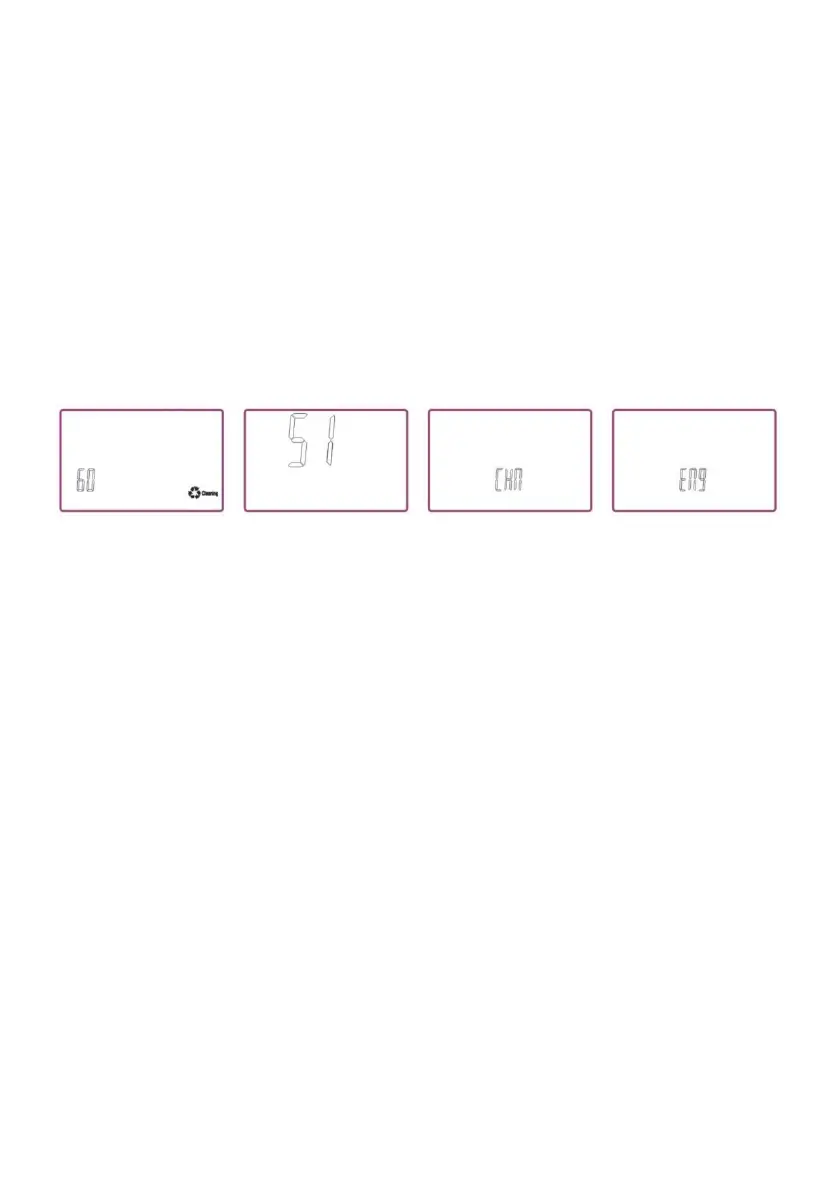
Press the Purified Water Button the second time,goes to cleaning
setting.Press Alkaline Water Button(+)and Purified Water Button(-)to do
cycle adjustment among the "30,60,90,EL"four numerical.
Cleaning Setting Description:
When set to 30,means when the total discharge capacity reaches
30L,cleaning light flashes.If set to"EL",when the total water discharge
capacity reaches 60L,cleaning light flashes,and automatic cleaning action
will go ahead next time as the water connects.
Third pressing Purified Water Button to enter the voice language
settings,setting items are "ENG,CHN".Press Alkaline Water Button(+)and
Purified Water Button (-)to adjust.
ENG:Voice broadcasting in English.CHN:Voice broadcasting in other
language.
Third pressing Purified Water Button to enter the voice and background
music settings,setting items are "S1,S2,S3".Press Alkaline Water
Button(+)and Purified Water Button(-)to adjust.
S1:Play voice and background music.S2:only play voice,no background
music. S3:Turn off voice and background music.
Fourth pressing Purified Water Button to save the settings,and the ionizer
will return to standby on the Alkaline Water Level 2.
3.Acidic Water Button: Settings on pH display -nominal settings have been
preset in the factory,but you can adjust the electrolysis strength setting for
each level as
follows:



 To Next Page