·Power Supply: connect to DC 12V/24V or AC 100-240V power (using
dedicated adapter).
· Display Screen Initialization: connect to the power supply,the buzzer
will make a long beep,and the display will be on for 3 seconds then enter
the normal operating mode.
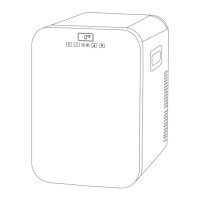
·Power ON/OFF: press to switch ON/OFF.
·Temperature Setting: press▲to increase temperature,and press▼to
decrease temperature;keep pressing▲or▼to adjusting the temperature
quickly.The setting will be saved automatically after stopping operating for
3 seconds.
Temperature setting range:-20~20℃(-4~68℉)
·Cooling Mode: factory setting is MAX(fast cooling mode)and it is not
adjustable.
·Battery Protection Mode: factory setting is M(Medium)and it is not
adjustable.
Voltage Reference:


 To Next Page