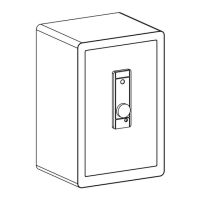
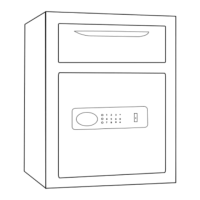
This document provides the user manual for a VEVOR safe box, model SS1447-ZW, designed for secure storage. The safe box is marketed under the "Tough Tools, Half Price" slogan, suggesting a focus on durability and affordability.
Function Description:
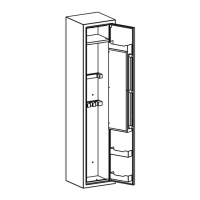
The VEVOR safe box is a secure storage unit designed to protect valuables. It features a robust construction and multiple access methods to ensure the safety of its contents. The primary function is to provide a secure environment for items such as firearms, important documents, and other valuables, preventing unauthorized access. The safe includes a built-in storage locker, pistol rack, partition, clapboard, and gun rack, indicating its suitability for organizing and securing various items, particularly firearms. It also features bullet boxes for ammunition storage.
Usage Features:
The safe box offers several features for convenient and secure operation:
- Multiple Access Methods: The safe can be opened using a digital key password, fingerprint recognition, or an emergency key. This redundancy ensures access even if one method is unavailable or forgotten.
- Password Setting: Users can set both a management code and a personal code. The management code (accessed by pressing "00" then the green setting button) and personal code (accessed by pressing "11" then the green setting button) can be 3-12 digits long. This allows for different levels of access or multiple authorized users.
- Fingerprint Recognition: The safe supports fingerprint recognition for quick and secure access. Up to 30 fingerprints can be stored. The setup process involves pressing the setting button when the door is open and then collecting fingerprints four times on the scanner. Successful registration is indicated by two short "beep" sounds followed by a long "beep."
- Emergency Key Access: In case of forgotten passwords or battery depletion, an emergency key can be used to open the safe. The emergency keyhole is revealed by moving down the silver part of the keyboard lock. The key is inserted and turned 35° counterclockwise, followed by turning the handle clockwise to open the safe. It is crucial not to store the emergency key or external power box inside the safe.
- Alarm Function: The safe is equipped with an alarm system to deter unauthorized access.
- Alert Status Activation: In standby mode, pressing "*" activates the alert status, indicated by a "beep" sound and the digital pad turning off. If the safe vibrates while in alert status, an alarm will sound for 30 seconds.
- Tamper Alarm: The alarm will also sound for 30 seconds if a wrong fingerprint is scanned five times or an incorrect password is input three times.
- Alarm Deactivation: The alarm can be relieved by entering the correct password or scanning the correct fingerprint. After the alarm, the electromagnet closes for 5 seconds, and the alert state is lifted automatically.
- Noise Elimination Function: Users can turn the sound on or off by touching the touch pad to wake it up and then pressing "11#". This feature allows for silent operation if desired.
- Mounting Options: The safe can be mounted to a wall or floor for added security. This involves drilling appropriate size holes for anchors and securing the safe with screws from the inside. Proper drill tools should be used based on the mounting surface (wood, tile, or concrete).
- Internal Organization: The internal layout includes a built-in storage locker, pistol rack, partition, clapboard, gun rack, and bullet boxes, facilitating organized storage of various items.
Maintenance Features:
- Battery Installation and Replacement: The safe requires four 1.5V AA alkaline batteries for operation. The battery box cover needs to be opened to insert or replace batteries. It is important not to use lithium batteries or different brands of rechargeable batteries.
- Low Voltage Indication: If the battery voltage is insufficient, the buzzer will emit a "beep" sound to remind the user to replace the batteries promptly. This ensures continuous functionality and prevents being locked out due to dead batteries.
- Troubleshooting Fingerprint Registration: If fingerprint registration fails (indicated by three short "beep" sounds), common causes include weak current (solution: change the battery) or finger peeling (solution: replace the finger used for scanning).
- Factory Reset: In standby mode, pressing the green button (fingerprint delete key) inside the box for about 5 seconds will delete all fingerprints and passwords, restoring factory settings. A long "Di" sound confirms a successful reset. After a factory reset, any fingerprint can lock the safe until new fingerprints are registered.
- Technical Support: VEVOR provides technical support and an e-warranty certificate, accessible via www.vevor.com/support, for any product questions or technical assistance.

 Need help?
 General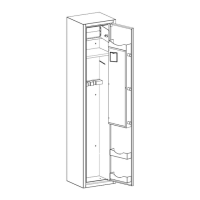

 To Next Page