Note:
1. See the above figure, the fixing ring is placed around the lower stem,
and its flat side faces the upper stem.
2. The two protrusions on the inner surface of the threaded ring must fit into
the two holes near the lower end of the upper stem.
3. To avoid damage, do not pull the detector's cable with force.
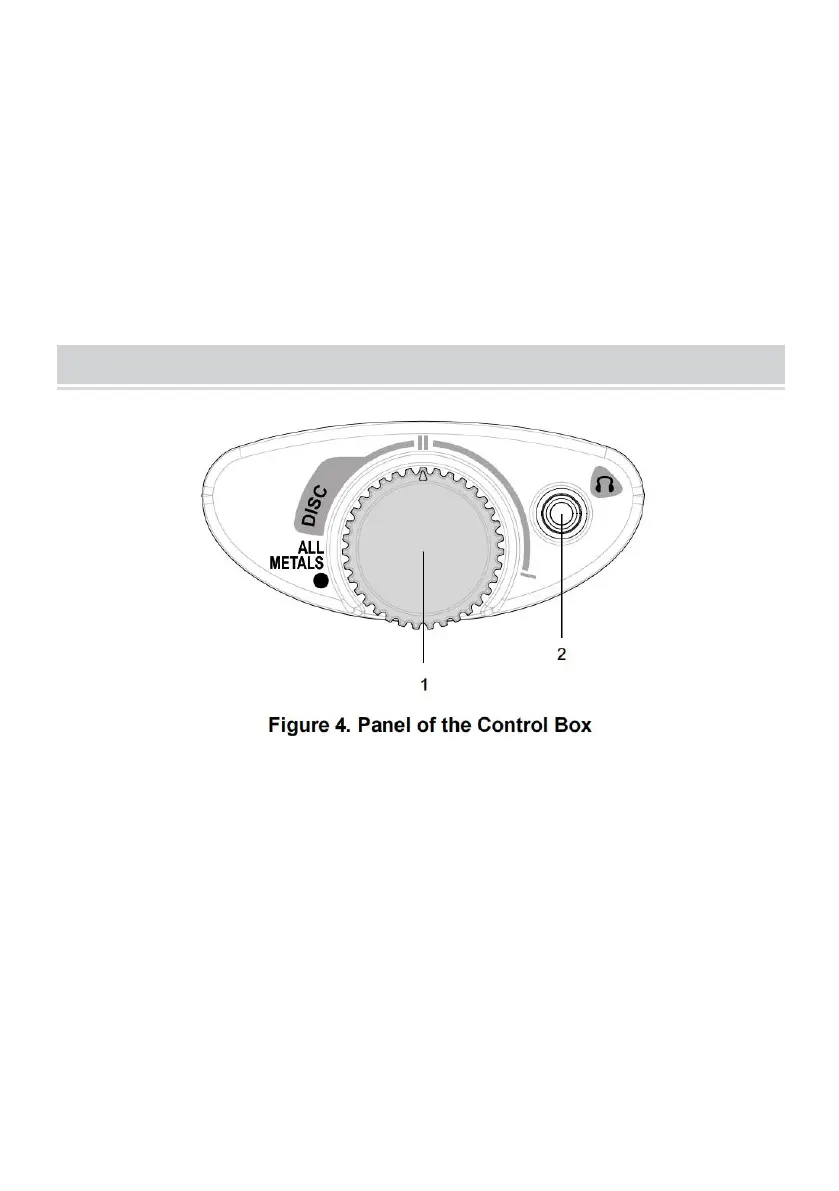
1. ALL METALS/DISC knob
Counterclockwise turn this ALL METALS/DISC knob to the "ALL METALS" position.
The knob clicks and the detector stays in the ALL METALS mode.
When this knob is in the "ALL METALS" position, clockwise turn it and, after it
clicks, the detector is in the DISCRIMINATION ( DISC ) mode.
2. Earphone Jack


 To Next Page