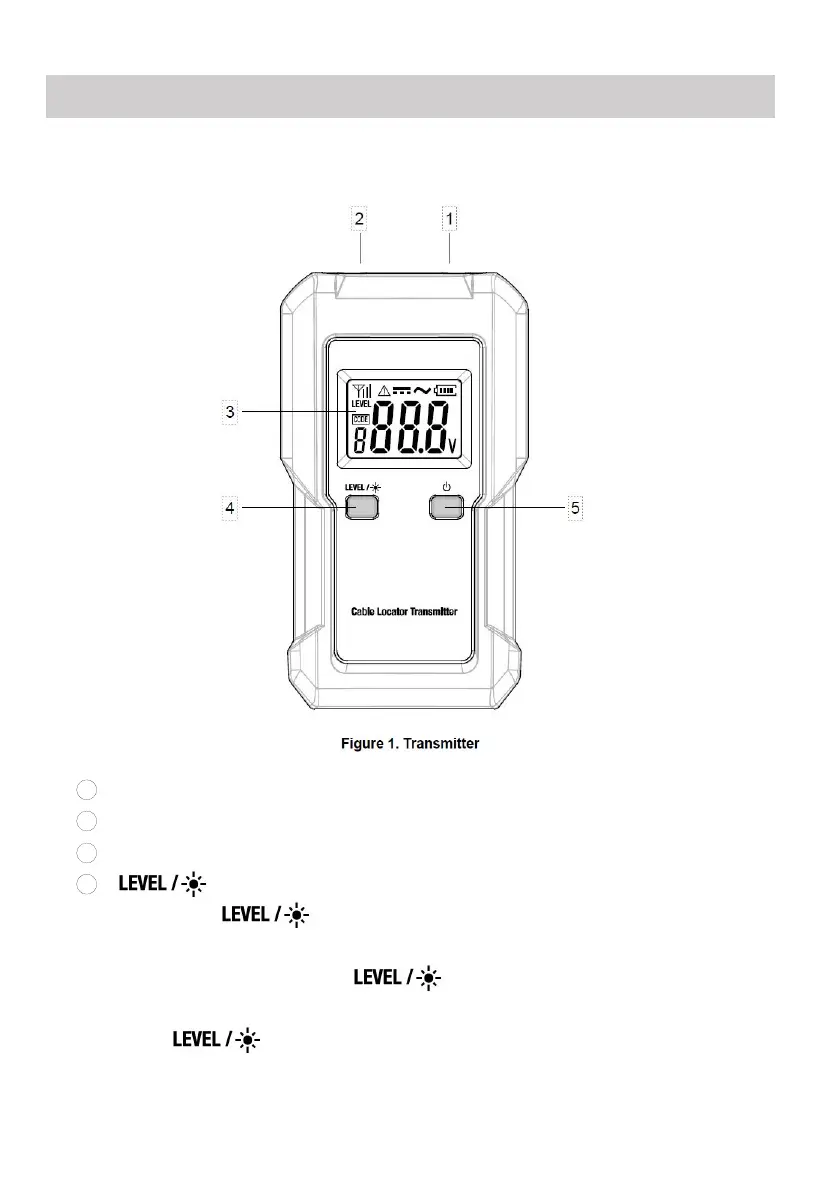
Transmitter
1
.Black Terminal:Used to connect a black test lead.
2
.Red Terminal:Used to connect a red test lead.
3
.Display.
4
. Button.
Press this " " button to select a desired transmission level
among the three transmission levels.
Press and hold down this " " button for about 2 secs to turn on or
off the backlight.
This " " button is also used when you select a desired
transmission code.


 To Next Page