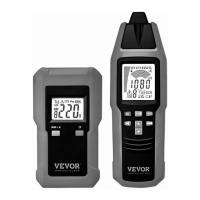
1
. Probe.
Signal sensing/detecting part of the receiver.
2
. Display.
3
. " " Button.
Press and hold down this " " button for about 1 sec to turn on or off the
receiver.
4
. " "Button.
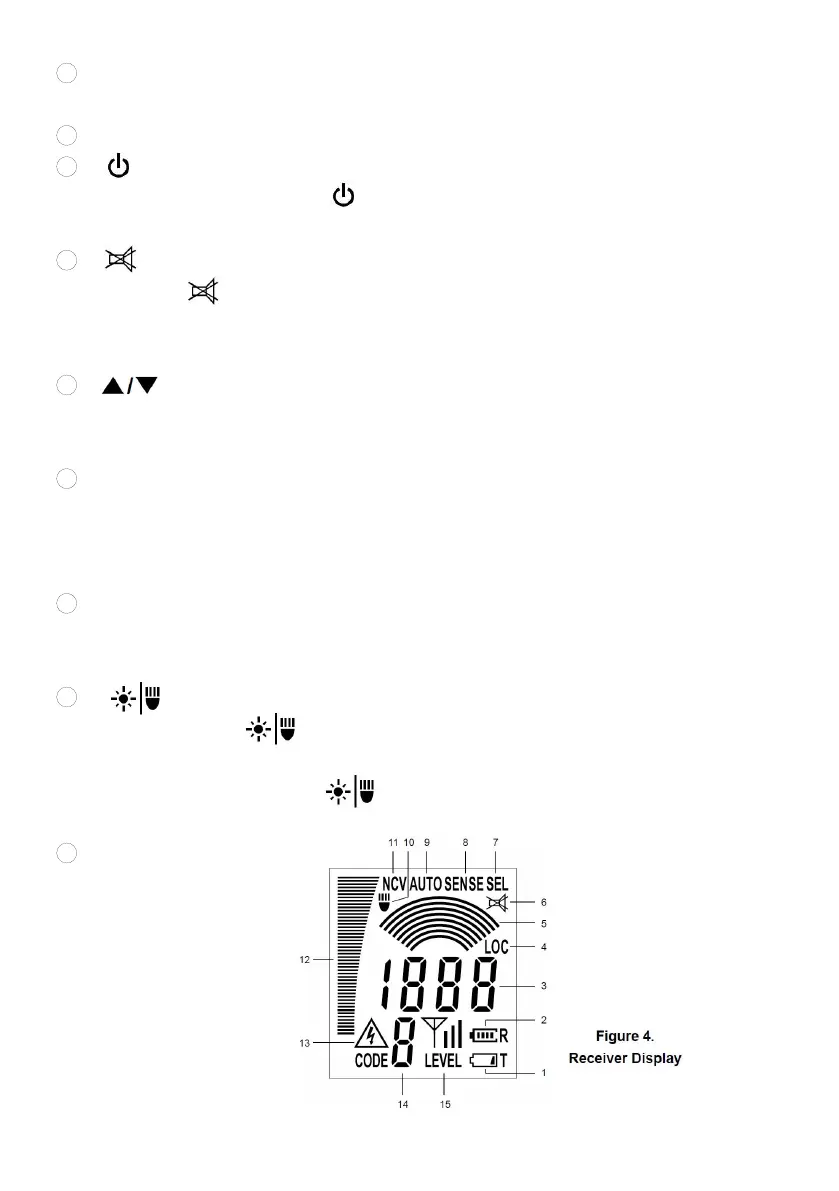
Press this " " button to enable or disable the built-in buzzer.
When the buzzer is disabled, the receiver is mute and does not give acoustic
signal indication.
5
. " " Button.
Used to increase or decrease the sensitivity of the receiver when the receiver is
in the manual mode or selective mode.
6
. "MODE " Button.
Press this "MODE " button to switch among the automatic mode ( " AUTO "
appears ), manual mode( " SENSE " appears ), selective mode ( " SEL "
appears ), and PINPOINT mode ( " LOC " appears ).
7
. " NCV " Button.
Press this " NCV " button to enter or exit the non-contact mains voltage
detection mode.
8
. " " Button.
Briefly press this " " button to turn on or off the light. The light
automatically turns off after about 60 secs.
Press and hold down this " " button for about 1 sec to turn on or off the
backlight.
9
. Light.
Receiver Display


 To Next Page