Panel Functions
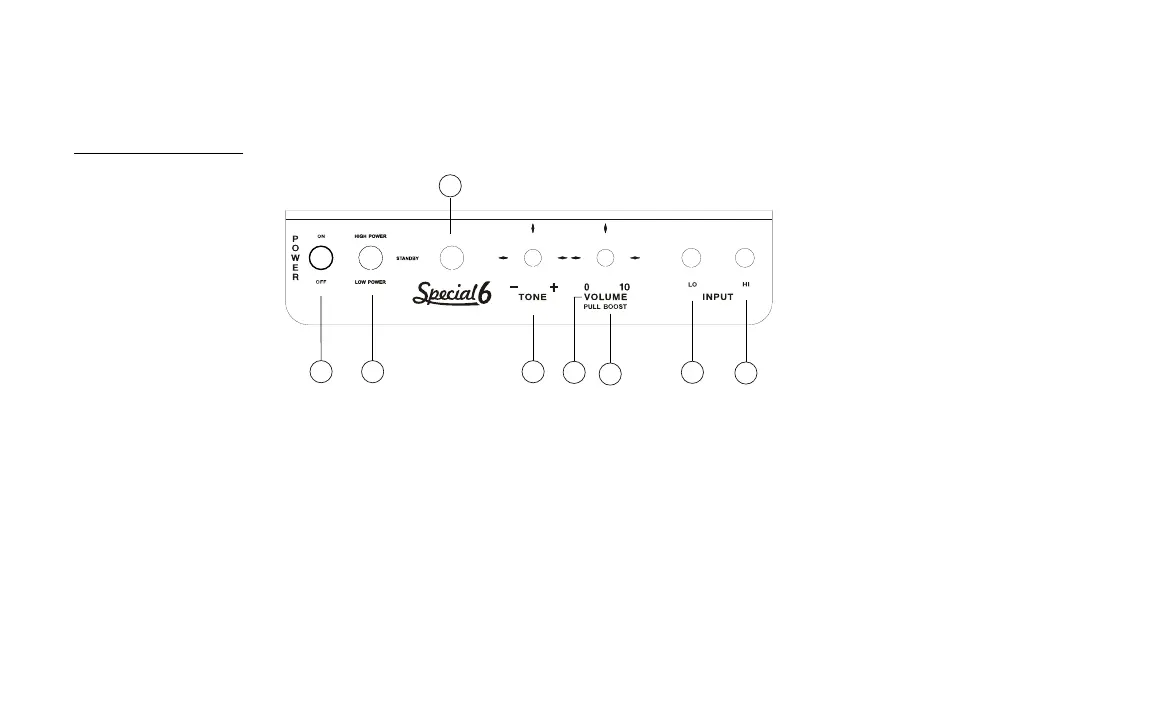
(Please refer to Fig. 1 and Fig. 2 for details.)
A. THE FRONT PANEL
Fig. 1: The Front Panel
1. Power Toggle Switch: Use this switch to turn the amplifier on or off.
2. High/Low Power and Standby switch: This switch reduces the amplifier’s maximum output power when in Low-Power mode; it
preserves the amp’s lively dynamic response when playing at lower volume levels. The middle postion is Standby mode.
3. Jewel Light: This light will be illuminated when the Power switch is in the upward position (Power On); the jewel light will be off when the
switch is in the downward position (Power Off).
5


 To Next Page