775 331 6001
nora@viaseating.com
www.viaseating.com
1
Genie
user guide
Switch
(Lever)
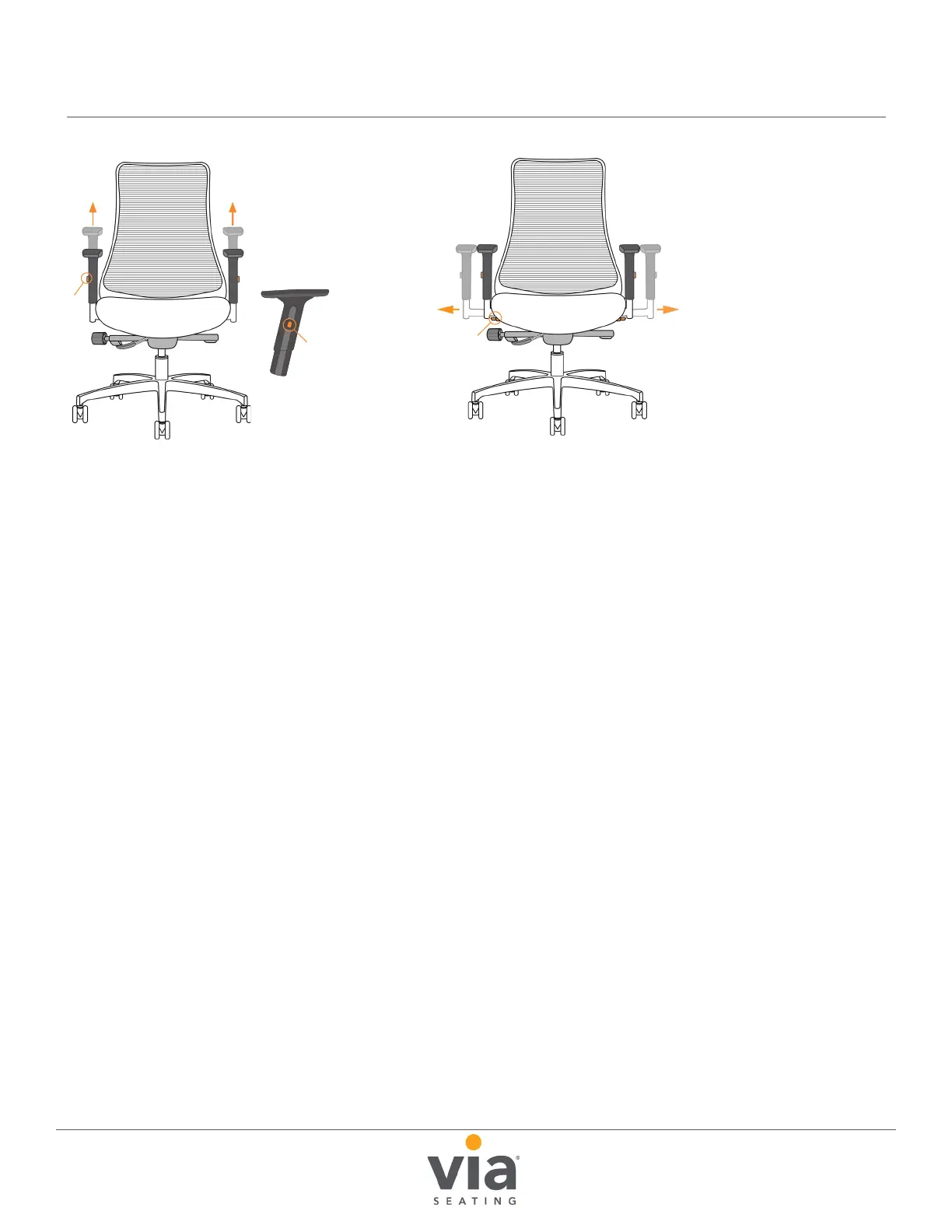
Arm height adjustment
(Only applies to 38A): While
pressing the “button”, use
your hand to raise and lower
the arm height.
Optional arm width adjustment
(Only applies to 19AB): Push the
“switch” located beneath the arm
forward. Use your hand to grasp
the arm and adjust out to desired
width away from seat Each arm
adjusts separately. When nished
making adjustments, push the
switch back to its original position.
38A height adjustable arm
Arm
Button
Arm
Button


 To Next Page