6
2-2 Install Memory
This motherboard provides two 240-pin DDR DUAL INLINE MEMORY MODULES
(DIMM) sides for DDR memory expansion available from minimum memory size of 64MB
to maximum memory size of 4.0GB DDR SDRAM.
Valid Memory Configurations
Bank 240-pin DDR DIMM PCS Total Memory
Bank 0, 1(DIMM 1) DDRII667/DDRII533/DDRII400 DDR DRAM
Module
X1 64MB∼2.0GB
Bank 2, 3 (DIMM 2) DDRII667/DDRII533/DDRII400 DDR DRAM
Module
X1 64MB∼2.0GB
Total System Memory (Max. 4.0GB) X2 64MB∼4.0GB
Recommend DIMM Module Combination
1. One DIMM Module ----Plug in DIMM1
2. Two DIMM Modules---Plug in DIMM1 and DIMM2
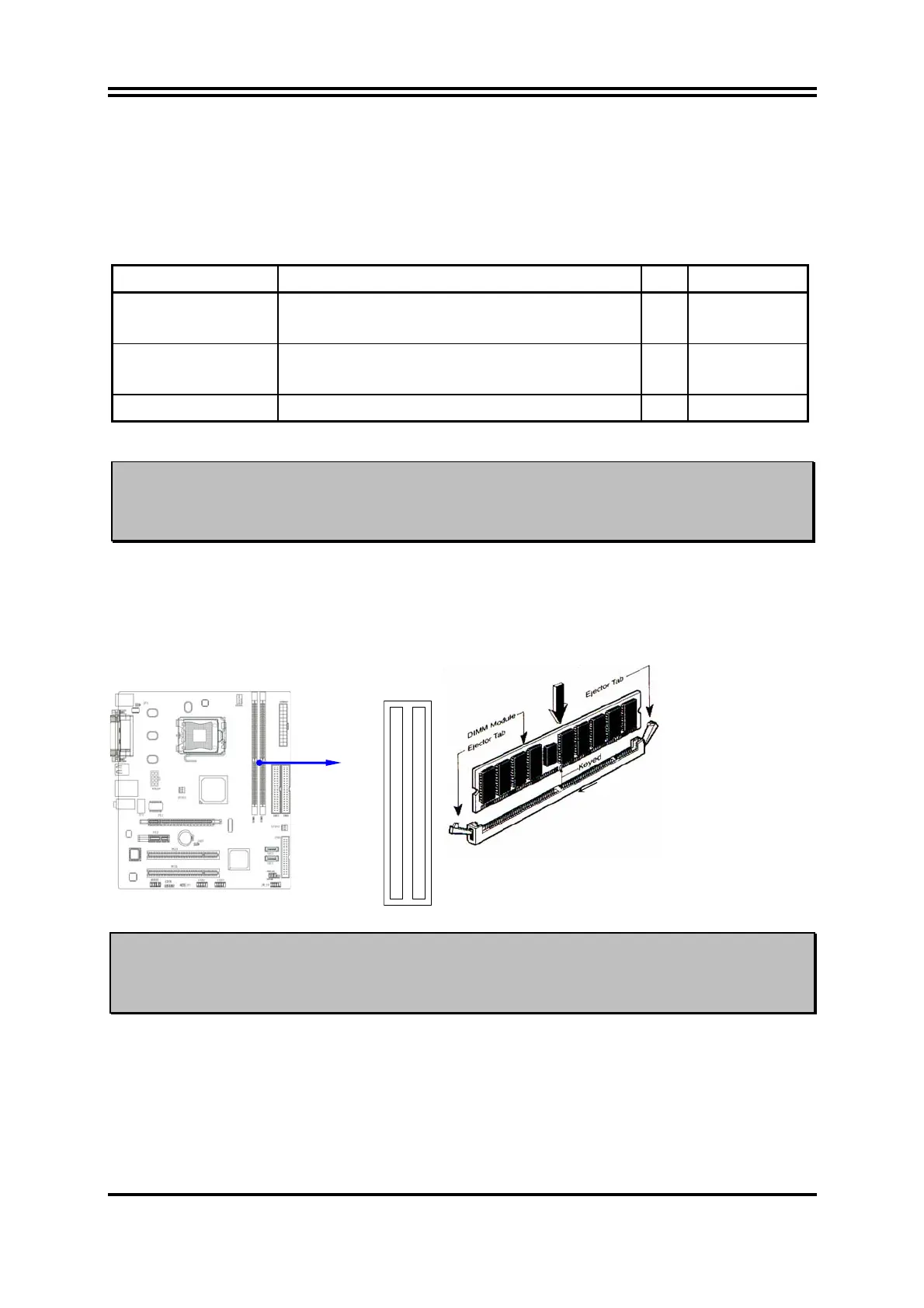
Install DDR2 SDRAM modules to your motherboard is not difficult, you can refer to figure
below to see how to install a 240-Pin DDR2 400 / DDR2 533 / DDR2 667 SDRAM module.
DIMM2 (BANK2+ BANK3)
DIMM1 (BANK0+ BANK1)
NOTE!
When you install DIMM module fully into the DIMM socket the eject tab should
be locked into the DIMM module very firmly and fit into its indention on both
sides.
Figure 2-4














 To Next Page