Need help?
Do you have a question about the ViaSat RM5111 and is the answer not in the manual?
Covers hazards like exposed coax, children/pets, opening modem, water exposure, and electrical grounding.
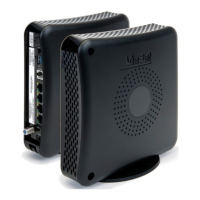
Connects the coax cable connector and stand to the Viasat WiFi Modem as shown in the diagram.
Advises on proper modem placement for ventilation, clearance, and avoiding heat sources.
Connects coax, Ethernet, phone for Voice service, and AC power adapter to the modem.
Follows instructions to provision the modem to begin using the service.
Supports wired connections via Ethernet and wireless connections via Wi-Fi network.
Explains how multiple devices share bandwidth and impact internet speed.
Locates the default secure Wi-Fi network name (SSID) and password on the modem.
Guides users on how to change the Wi-Fi network name (SSID) and password via browser.
Explains how to switch between 2.4 GHz and 5 GHz wireless frequencies for better performance.
Details the meaning of different indicator light colors and patterns on the modem.
Instructions for connecting a phone and activating optional voice telephone service.
Disclaims warranty for the product from the end-user perspective by Viasat, Inc.
Covers WEEE, ROHS, REACH compliance, and energy efficiency of the power supply.
Information on open source software packages used in the product and their licenses.
Details Viasat's compliance with cULus, Canadian/US safety standards, and FCC regulations.
States Viasat's trademarks and copyright information, noting potential changes.

 To Next Page
 General