2 3
23
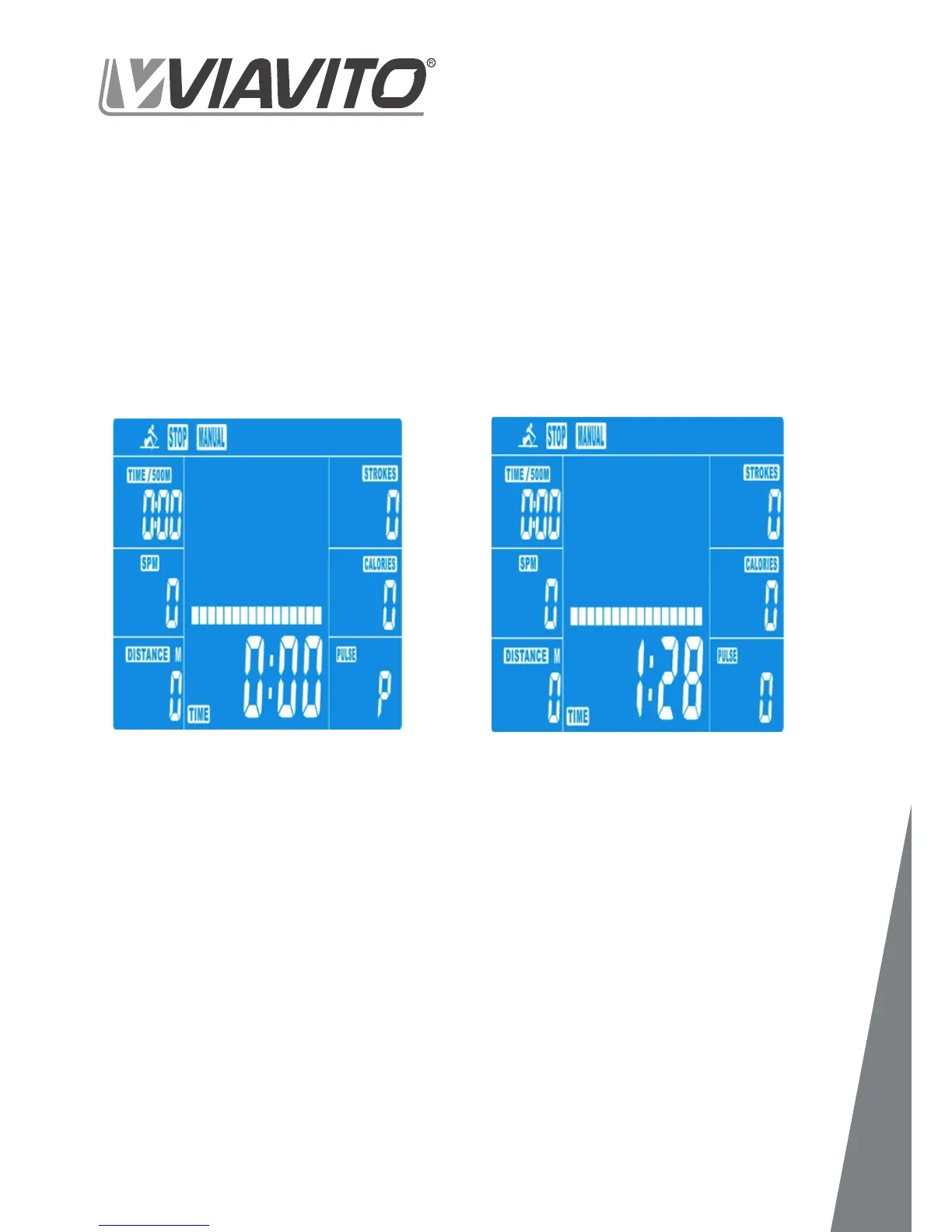
- Switch the power on, then MANUAL-
>PROGRAM-->H.R.C.-->RACE-->USER
- Press UP or DOWN to scroll through the
options and choose MANUAL (Drawing 2)
- If you have selected a program or started
your workout previously, press RESET to
return to the starting display.
- Press the START/STOP button to start
workout immediately without entering
further settings.
- Or, press the UP and DOWN keys to input
your personal settings and press MODE to
• TIME (or DISTANCE) (Time and Distance
can’t be set at the same time.)
• CALORIES
• PULSE
- Use the UP & DOWN keys to set values
the MODE button.
- Press START/STOP to start workout
(Drawing 3).
- As soon as one of the set values counts
down to 0, the console will stop and the
alarm will sound for 8 seconds. Press any
button to stop the alarm.
- You can adjust the level of resistance
from 1 to 16 while rowing by pressing the
UP/DOWN keys. The newly set level of
resistance will be shown on the screen.
- Press START/STOP to end the workout.
All exercise data will remain.
- Press RESET to return to the workout se-
lection menu.
www.viavito.com
1. Manual


 To Next Page