P.3
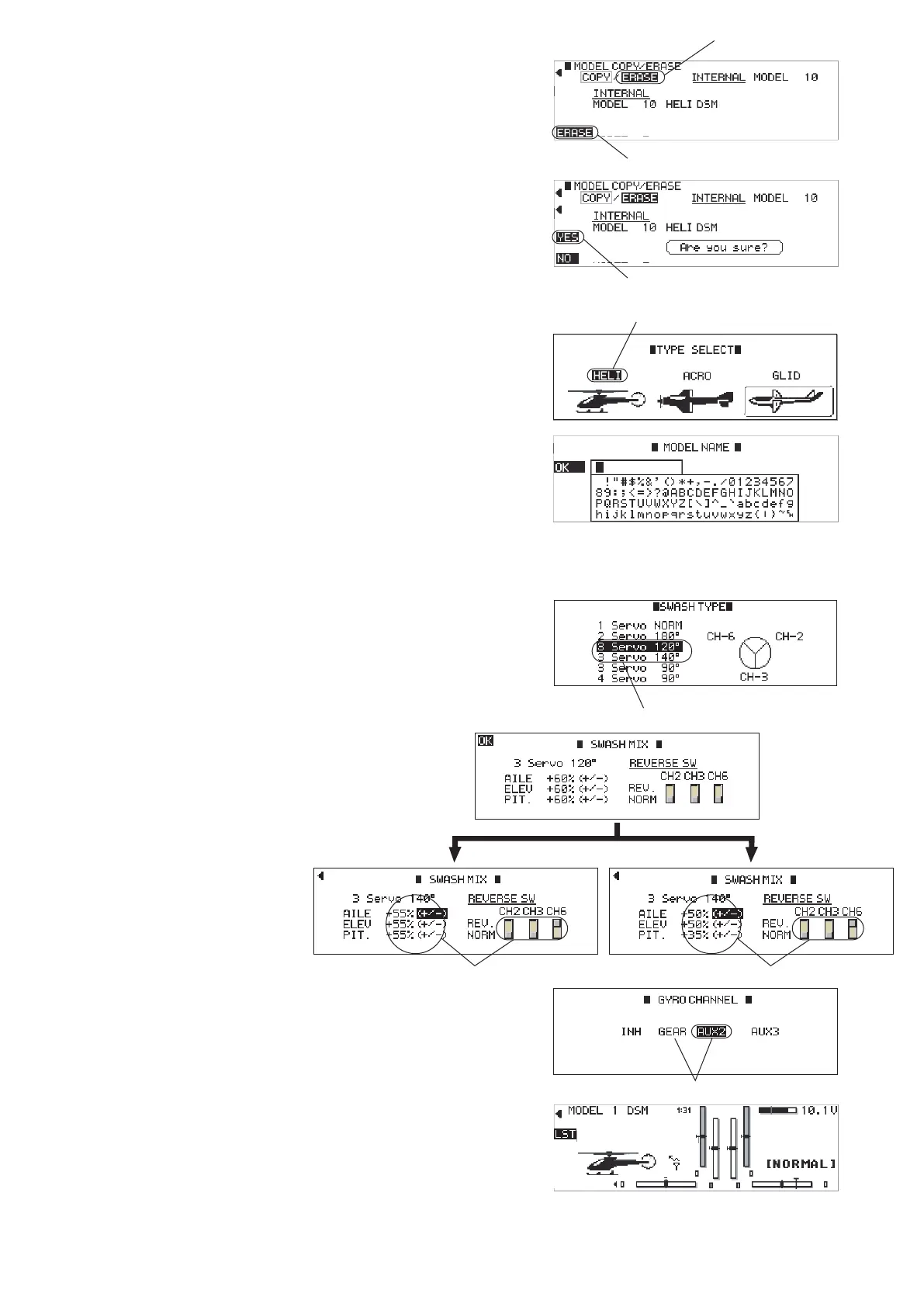
⑧ Conrm the model No. you selected is shown and
select 「ERASE」 and press the dial.
⑨ Press the 【FUNCTION】Key to select ERASE.
⑩ Press 【CLR】 to select YES and reset the model.
⑪ Select 「HELI」 and press the dial key, then input
the 「MODEL NAME」. After you input the model
name, press the 【LIST】 key 「OK」. also then press
the 【ENT】 key 「OK」.
⑫ Turn the dial to select 「3 Servo 120 ゜」 or 「3 Servo
140 ゜」 and press it.
(this choice depends on the hardware configuration
of your model)
⑬ Input the numbers, +/-, and REVERSE direction of
each servo as shown in the gure.
⑭ Press the 【ENT】Key.
⑮ If your helicopter uses the Flybar, select 「AUX2」
and if your helicopter is FBL, select 「GEAR」.
⑯ Press the【ENT】key to return to the regular
screen.
⑨ Select「ERASE」
⑩ Select「YES」
⑪ Select「HELI」
⑬ Input these parameters⑬ Input these parameters
w/Flybar Head FLB Head
⑮ Select 「AUX2」 for Flybar head and select 「GEAR」 for FBL head.
⑫ Select either 120° or 140°
⑧ Select「ERASE」


 To Next Page
 Loading...