4
Step2
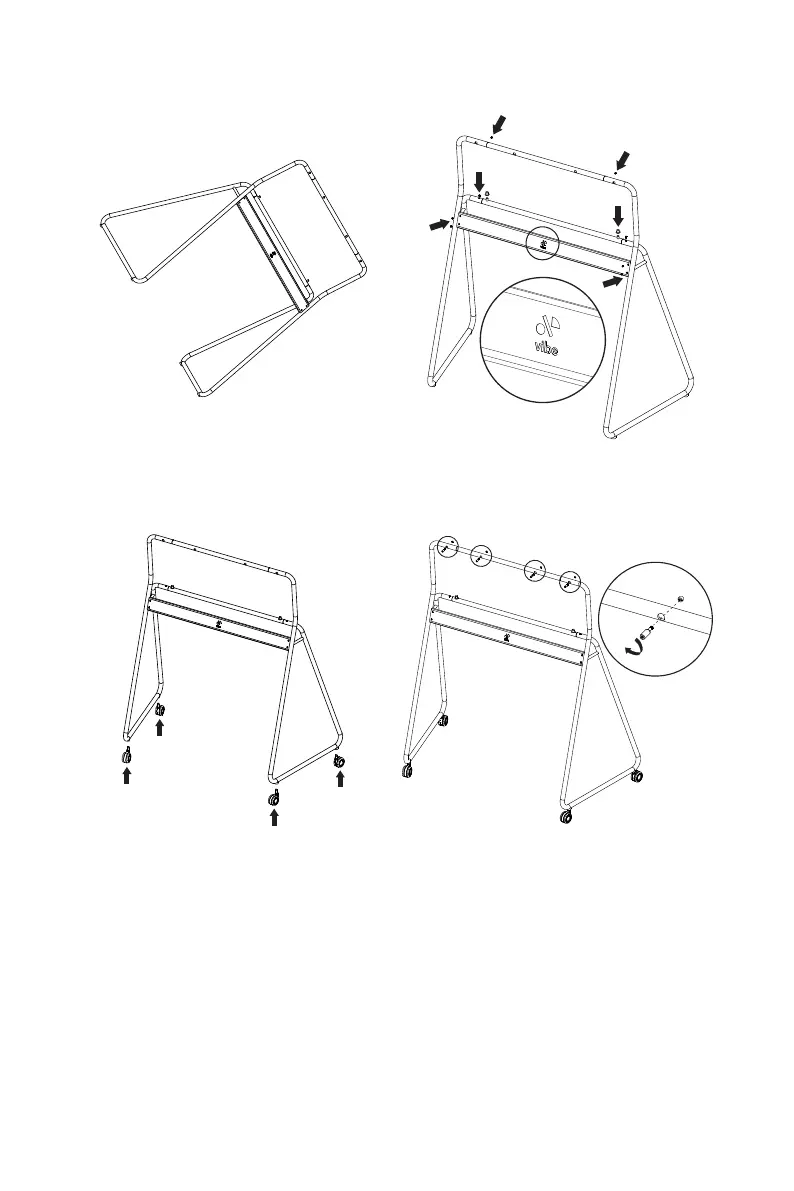
1. Make the stand standing.
Note: Ensure to hold the both sides to prevent apart.
2. Ensure the direction and position of logo are
consistent with gure above. Rotate the tube to expose
the screw holes then install the screws and plastic caps.
3. Insert the four wheels. 4. Thread the screws through the stand and plastic
sleeve.


 To Next Page