3
2.2. Installing the Stand
Step1
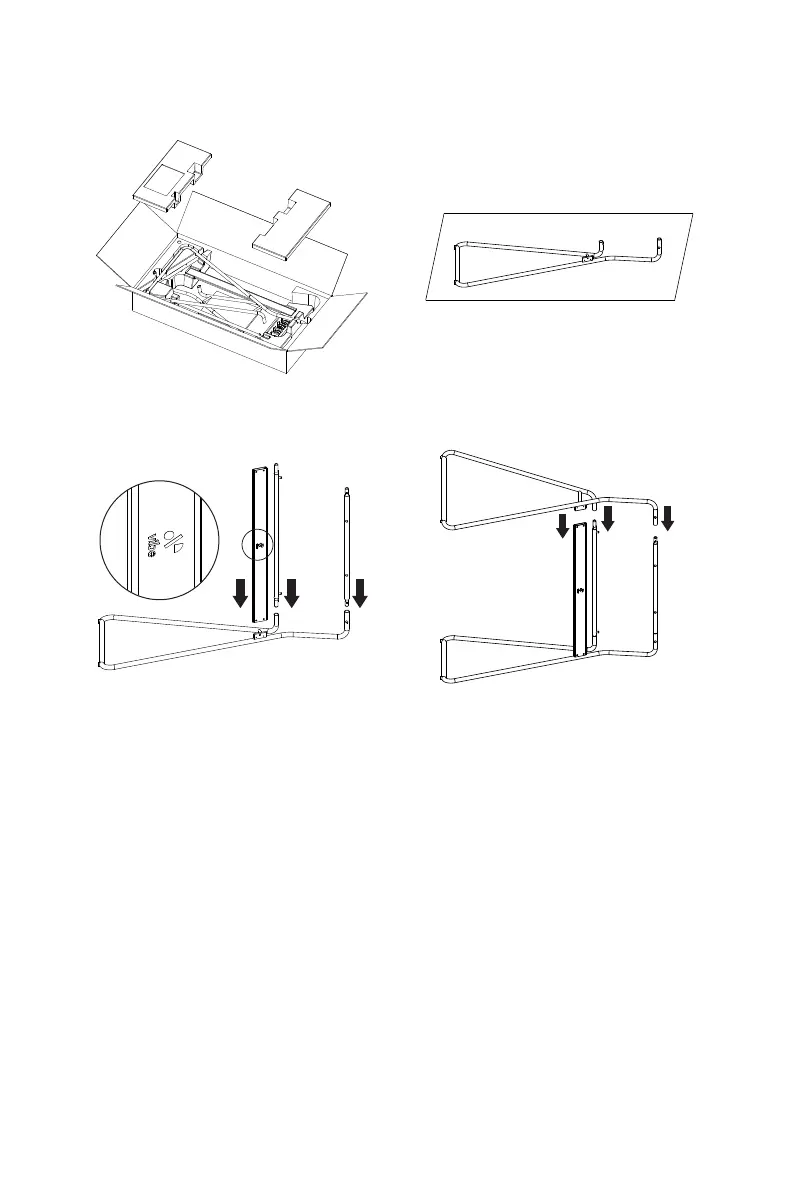
1. Open the stand package. 2. Spread the protective sheet in the package on the at
ground and put on the stand..
1
2
3
3. Install the three parts in the middle.
Note: Pay attention to the direction of the logo.
4. Install the stand on the other side refer to graphic
order.
Note: Pay attention to the installation order.


 To Next Page