3
Viconics Technologies
028-0465-00 October 2015
Configure Network Ethernet Adapter
The network must be correctly configured for the PC to function with the suitcase.
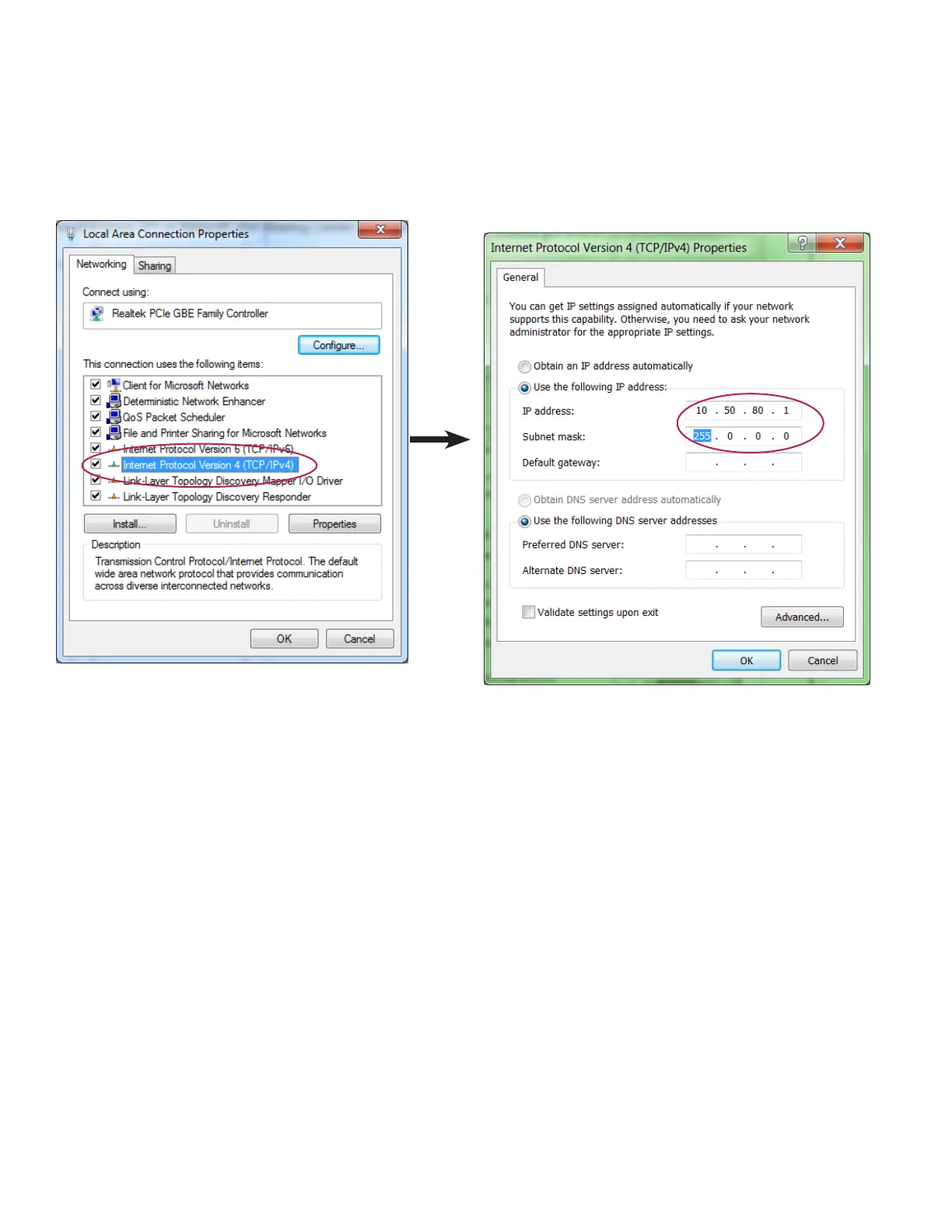
1. From Control Panel, open Network Connections (Windows XP) or Network and Sharing Center (Windows 7).
2. Select Internet Protocol Version 4 (TCP/IPv4) and click Properties.
3. Complete dialog box with identical information shown below and click OK.



 To Next Page