6
Viconics Technologies
028-0465-00 October 2015
BACnet Configuration
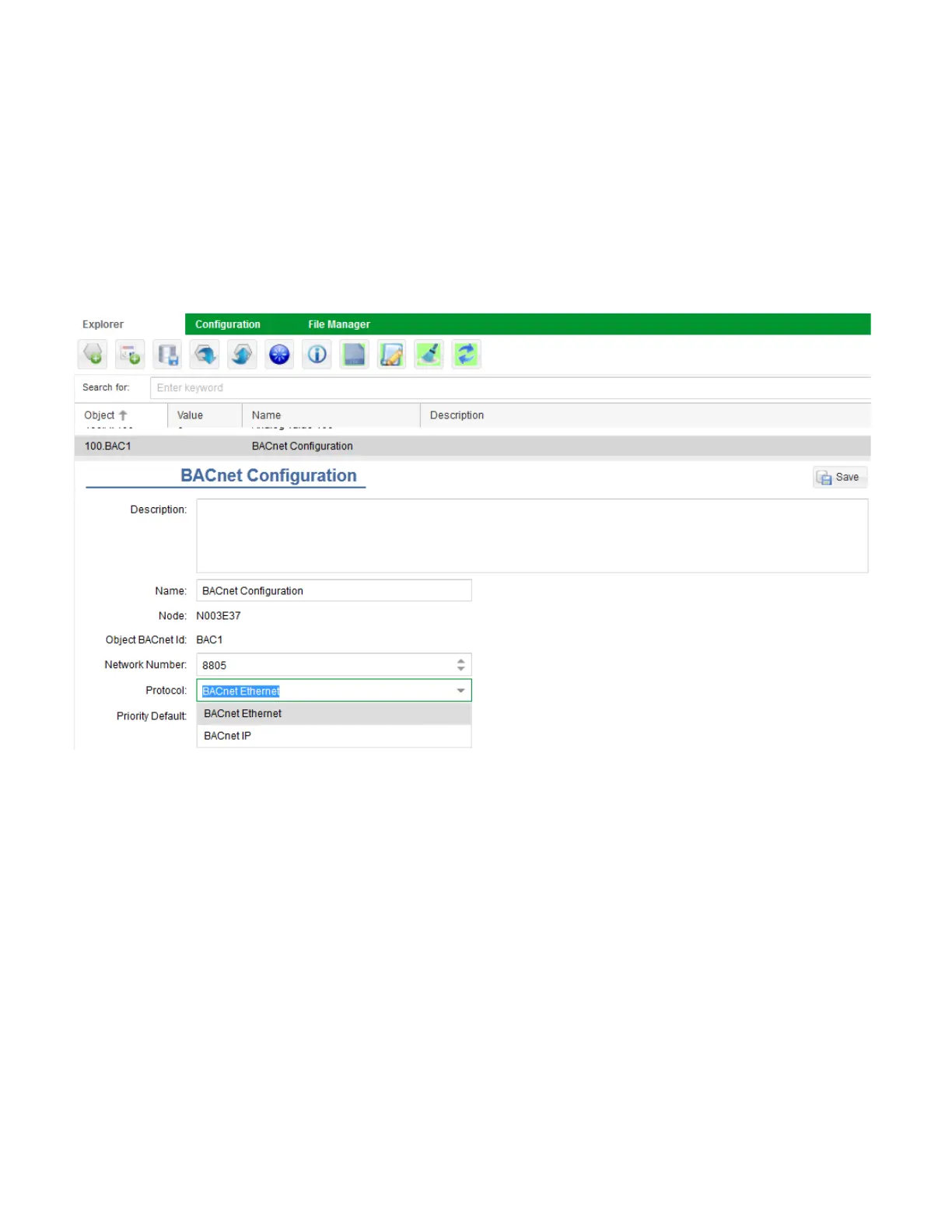
1. In Explorer tab, select BACnet Configuration Object.
2. In Network Number field, enter Network Number.
NOTE: The network number of the GW2 CAN NOT be the same as the network number attached to the BACnet controller.
3. In Protocol field, enter Ethernet or BACnet IP.
NOTE: if using BACnet IP, you must also specify the port number.
4. In Priority Default field, enter Priority Default.
NOTE: The priority default is the write priority at which the points within the GW2s network will be updated on a remote BACnet
system. The GW2 will only support one level of priority array for all the objects in its network.
5. Click Save.


 To Next Page
 Loading...