7
Viconics Technologies
028-0465-00 October 2015
Controller Settings
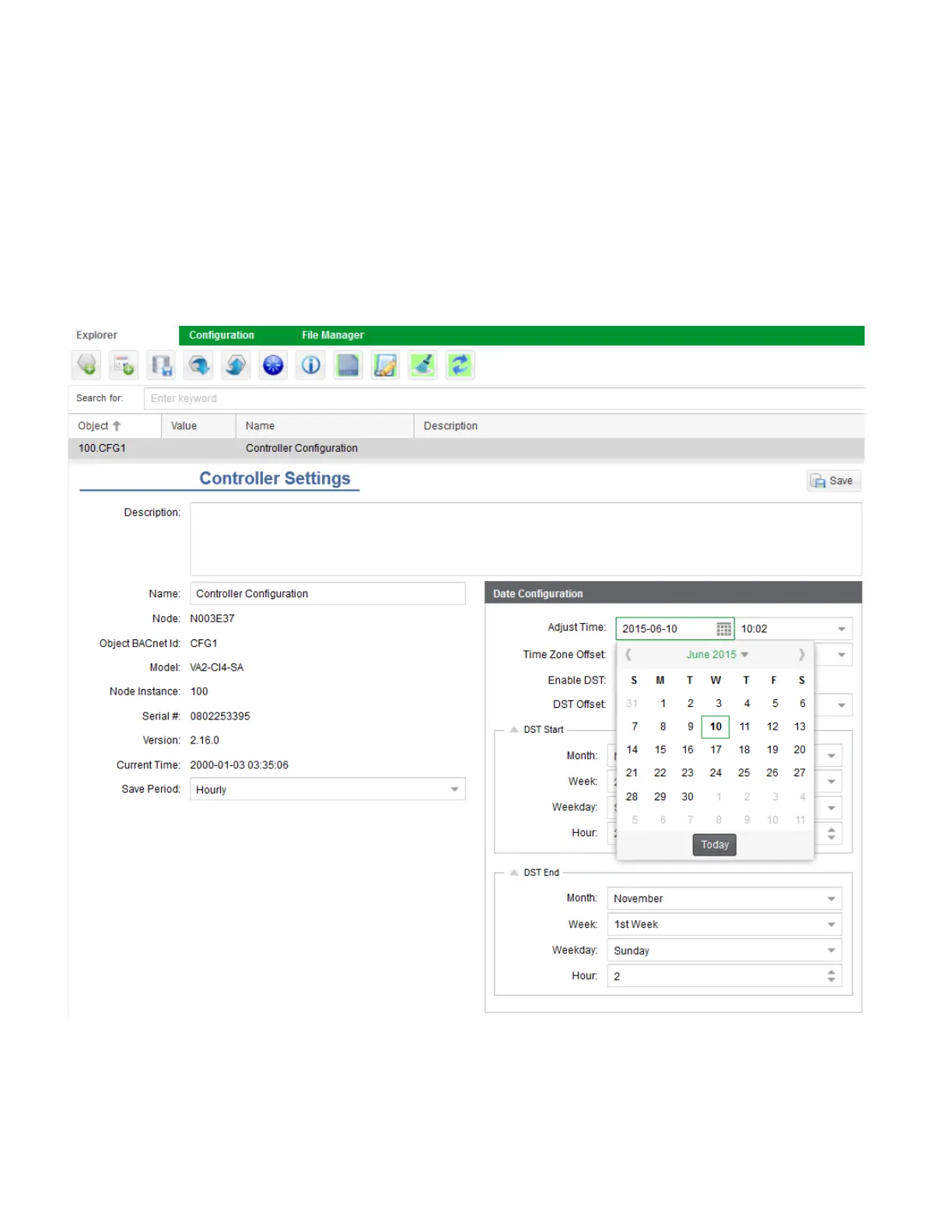
1. In Explorer tab, select Controller Settings Object.
2. In Date Configuration dialog box, click Adjust Time.
3. Set desired date.
4. Set desired time.
5. In Time Zone Offset menu, select correct time zone.
6. Toggle Enable DST if your region observes daylight savings time.
7. In Save Period field, select desired period (hourly, daily).
NOTE: The Save Period is the frequency at which the database is automatically backed up to the storage card of the controller.
8. Click Save.



 To Next Page