E7
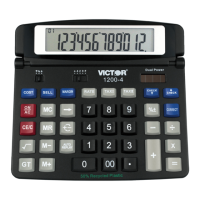
[COST] [MARGIN] [SELL]
:
Used for calculating the cost,
selling price and profit margin
amount. Enter the value of any 2
items to obtain the balance value
item. (e.g. enter the value of the
cost and the selling price to obtain
the profit margin.)
[GT]
:
In Grand total mode, adds the
total register to the
GT register by the (*/T) key
[TIME]
:
Displays date or time
[SET]
:
Used to set the date and time in
calendar & clock mode
[AM/PM]
:
Used to switch between AM or PM
at clock mode time setting
[12/24]
:
Used to switch between 12 or 24
hour at clock mode time setting
[FORMAT]
:
Used to select date format
between “YYYY/MM/DD”,
“DD/MM/YYYY” or
“MM/DD/YYYY” at calendar mode
DISPLAY SYMBOL
MEMORY
ERROR
-
GT
TAX+, TAX-, TAX%
SEEL, COST, MARGIN%
: A number has been stored
Memory
: Error overflow of capacity
: The display value is negative
: A number has value is negative
: Performance of tax calculation
: Performance of cost, sell, and
Profit margin calculation
DATE AND TIME FUNCTION
The TIME/ DATE key is used to display the
Time or Date.
Depressing the TIME/ DATE key once displays
the dateMM- DD- YYYY.
Depressing the TIME/ DATE key a second time
displays the time , HH- MM- SS.
When displaying the Date or Time the = key


 To Next Page
 Loading...