EasyManua.ls Logo

Victor VWRP-5000 - User Manual

Victor VWRP-5000
40 pages
Print Icon
To Next Page IconTo Next Page
Loading...
MOUNMENT
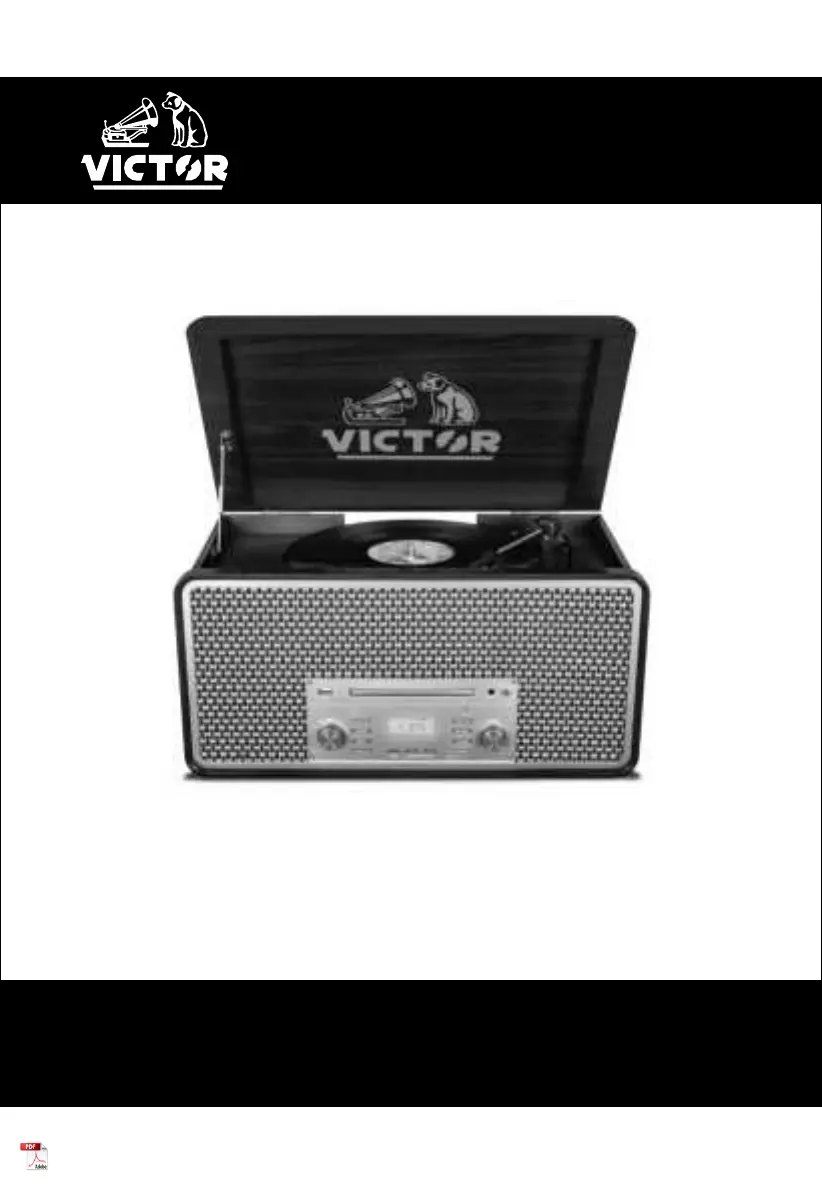
VWRP-5000
8-IN-1 Wood Music Center
Instruction Manual
Please read carefully before use and keep for future reference

Questions and Answers

  • K
    Kyle AnthonyAug 3, 2025
    What to do if my Victor VWRP-5000 Stereo System has no power?
    • J
      Jennifer MurphyAug 3, 2025
      First, check the connection to the AC power source, ensuring it's securely plugged in. Verify that the AC outlet isn't controlled by a switch; if it is, turn the switch on. To confirm the outlet is functioning, plug in another device, like a lamp or fan.
  • B
    Bobby GrossAug 7, 2025
    What to do if my Victor VWRP-5000 has no sound via AUX?
    • T
      toddritaAug 7, 2025
      If you're not getting any sound from your Victor Stereo System via AUX, first, check if the external player works when not connected through the AUX cable. Then, ensure the AUX In cables are securely connected and not damaged. Finally, increase the volume level.
  • J
    Julia WhitakerAug 11, 2025
    What to do if my Victor Stereo System will not play records?
    • B
      bsimpsonAug 11, 2025
      If your Victor Stereo System isn't playing records, turn the VOLUME KNOB clockwise. Make sure to loosen the screw and detach the stylus guard, which is a white plastic cover protecting the stylus during transportation. The stylus guard will prevent the needle from contacting the grooves of the record. If the stylus is worn out, change it. Also, ensure that you have selected the correct playback speed.
  • S
    Shannon WelchAug 15, 2025
    Why does my Victor VWRP-5000 Stereo System sound skip?
    • B
      Benjamin EspinozaAug 15, 2025
      If the sound skips on your Victor Stereo System, try these steps: place the unit on a stable surface to avoid vibration and shock. Ensure the unit is level both front to back and side to side. Clean the surface of the record/disc. Avoid using scratched, damaged, or warped records/discs.
  • A
    Anthony WilcoxAug 19, 2025
    Why does my Victor VWRP-5000 Stereo System sound have interference?
    • D
      David JohnsonAug 19, 2025
      If your Victor Stereo System is experiencing interference, it might be too close to a TV set or similar appliance. Try relocating the unit further away from these devices or turn the other appliances off.
  • A
    Alyssa BarnesAug 25, 2025
    What to do if my Victor Stereo System will not play via Bluetooth?
    • M
      Melissa ClaytonAug 25, 2025
      If your Victor Stereo System isn't playing via Bluetooth, turn OFF Bluetooth, then turn it ON again, and repair the device.
  • A
    April HillAug 28, 2025
    Why Victor VWRP-5000 Stereo System cannot listen to any station?
    • D
      David JonesAug 28, 2025
      If your Victor Stereo System is unable to pick up any stations or the signal is weak, first, try tuning in the station properly. If a TV is near the unit, turn it off. Additionally, try rotating the unit or antenna wire to find the best reception position.

Summary

Important Safety Instructions

Features

Specifications

Product Overview

Setup & Basic Operation

Radio Operation

CD Operation

Aux In Operation

USB Operation

Recording with USB

Instructions for recording audio from various modes onto a USB device in MP3 format.

Erasing Files on the USB Device

Procedure for deleting audio files from a connected USB device.

Cassette Tape Operation

Vinyl Record Operation

Bluetooth Operation

Bluetooth Transmitter

Guide to streaming audio from the unit to external Bluetooth speakers or headphones.

Care & Maintenance

Using Compact Discs

Guidance on handling, cleaning, and playing compact discs to ensure optimal performance.

Troubleshooting Guide

FCC Notice

IC Statement

Caution on Modifications

Support

Victor VWRP-5000 Specifications

General IconGeneral
BrandVictor
ModelVWRP-5000
CategoryStereo System
LanguageEnglish

Related product manuals