EasyManua.ls Logo

Victor STATE - User Manual

Victor STATE
40 pages
Print Icon
To Next Page IconTo Next Page
Loading...
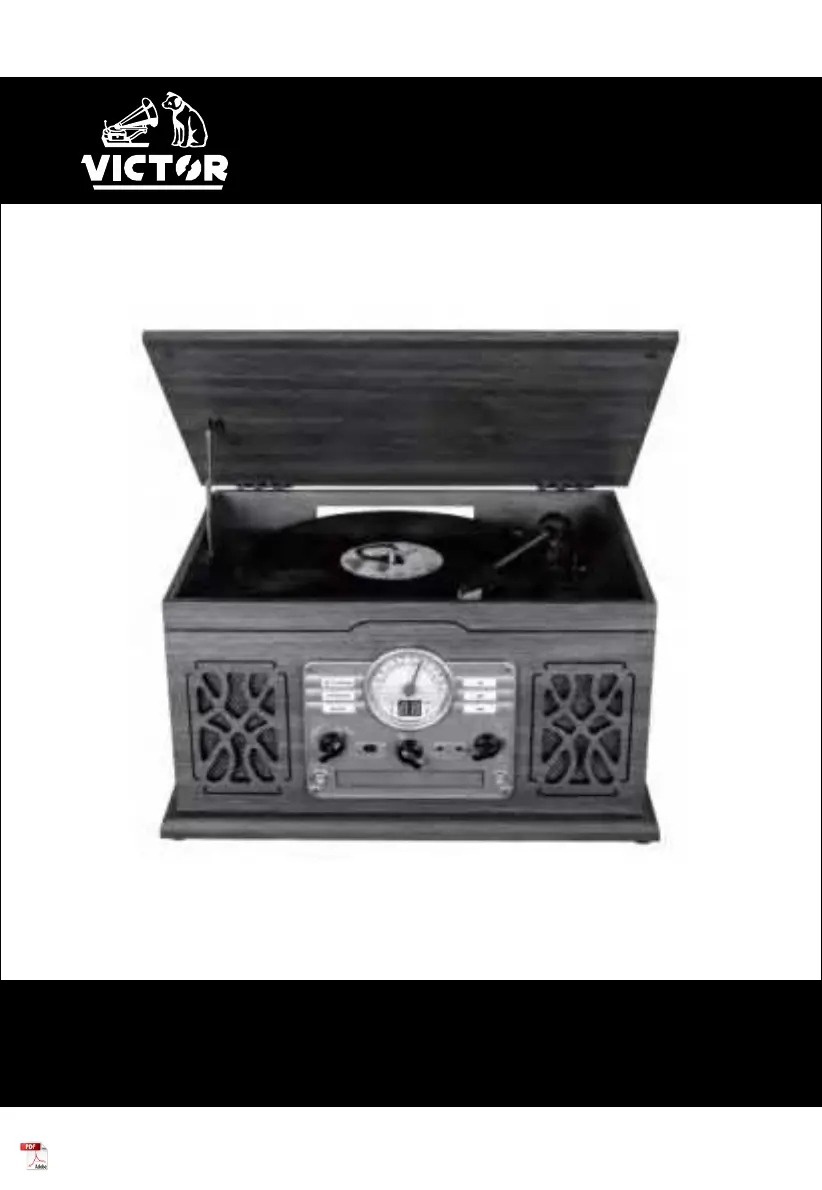
STATE
VWRP-3800
7-IN-1 Wood Music Center
Instruction Manual
Please read carefully before use and keep for future reference

Questions and Answers

  • W
    Walter JohnsonJul 28, 2025
    How to troubleshoot no power on Victor STATE Stereo System?
    • S
      Sheila McclureJul 28, 2025
      If your Victor Stereo System has no power, check the connection to the AC power source. Ensure the AC source isn't a switched outlet, and if it is, turn the switch on. Verify the outlet has power by plugging in another device like a lamp or fan.
  • Q
    qkimAug 1, 2025
    Why Victor STATE Stereo System will not play via Bluetooth?
    • J
      James BrownAug 1, 2025
      If your Victor Stereo System will not play via Bluetooth, turn OFF Bluetooth, then turn it ON again, and repair the device.
  • T
    Thomas PenaAug 5, 2025
    How to fix sound skipping on Victor STATE?
    • N
      Noah DavisAug 5, 2025
      If the sound skips on your Victor Stereo System, place the unit on a stable surface to avoid vibration and shock. Ensure the unit is level from front to back and side to side. Clean the surface of the record or disc. Avoid using scratched, damaged, or warped records or discs.
  • N
    Nicole JonesAug 10, 2025
    What to do if Victor STATE Stereo System cannot find any station or signal is weak?
    • Q
      qfranklinAug 10, 2025
      If you cannot listen to any station or the signal is weak on your Victor Stereo System, tune in the station properly. If a TV is near the unit, turn it off. Rotate the unit or antenna wire to find the best reception position.
  • M
    Mr. Raymond Hogan IIAug 13, 2025
    Why does Victor Stereo System sound have interference?
    • M
      Monica CobbAug 14, 2025
      If the sound from your Victor Stereo System has interference, the unit might be too close to a TV set or similar appliance. Relocate the unit further away from them or turn the other appliances off.
  • N
    nrileyAug 18, 2025
    What to do if Victor STATE Stereo System will not play CD?
    • M
      Michelle EstradaAug 18, 2025
      If your Victor Stereo System will not play a CD, turn the VOLUME knob clockwise and rotate the FUNCTION KNOB to "CD". Load a disc with the playback side facing down. If the disc is dirty, clean the surface. Load a pre-recorded disc instead of a blank one. Note that depending on the disc, it may not be possible to play back CD-R/CD-RW discs - try another disc. If you are using CD-R/CD-RW discs, finalize them before playing.
  • C
    Chelsey StevensonAug 22, 2025
    What to do if Victor STATE Stereo System will not play record?
    • P
      Phillip EdwardsAug 22, 2025
      If your Victor Stereo System will not play, turn the VOLUME KNOB clockwise. Loosen the screw and detach the stylus guard, which is a white plastic cover that protects the stylus during transportation. If the stylus is worn-out, change it. Select the correct playback speed.

Summary

Important Safety Instructions

Features

7-in-1 Music Center Capabilities

Lists key functions: turntable, CD, cassette, FM radio, Bluetooth.

Bluetooth Connectivity

Explains Bluetooth In (streaming to unit) and Out (streaming from unit).

Specifications

Product Overview

Turntable Component Identification

Labels and describes turntable mechanism parts.

Front Panel Controls and Indicators

Details function knob, display, and playback controls.

Setup & Basic Operation

Initial Unit Setup

Steps for unpacking, placement, and power connection.

Listening to a CD

Listening to an Aux Source

Listening Via External Devices

Listening to the Radio

Listening to a Cassette Tape

Listening to a Record

Playing a Record

How to place record, release tone arm, and start playback.

Listening to Bluetooth

Connecting to Bluetooth Devices

Steps to pair mobile device to stream music to unit.

Bluetooth Transmitter Function

Instructions for streaming audio from unit to external Bluetooth speakers.

Maintenance

Stylus Replacement Guide

Information on when and how to replace the stylus.

Removing and Installing Stylus

Detailed steps and diagrams for replacing stylus.

Troubleshooting Guide

General Unit Problems

Solutions for power, sound, and interference issues.

Radio and Record Player Issues

Troubleshooting for radio reception and record playback problems.

CD, Bluetooth, and Cassette Player Issues

Problems with CD playback, Bluetooth pairing, and cassette sound.

Victor STATE Specifications

General IconGeneral
BrandVictor
ModelSTATE
CategoryStereo System
LanguageEnglish

Related product manuals