16
MAINTENANCE
● Handle with care, as the stylus is delicate. Use of a bent or broken stylus may damage the
record and cause the turntable to malfunction.
● Do not expose stylus to extreme heat.
● Contact a qualified repair company if you experience difficulty in changing the stylus.
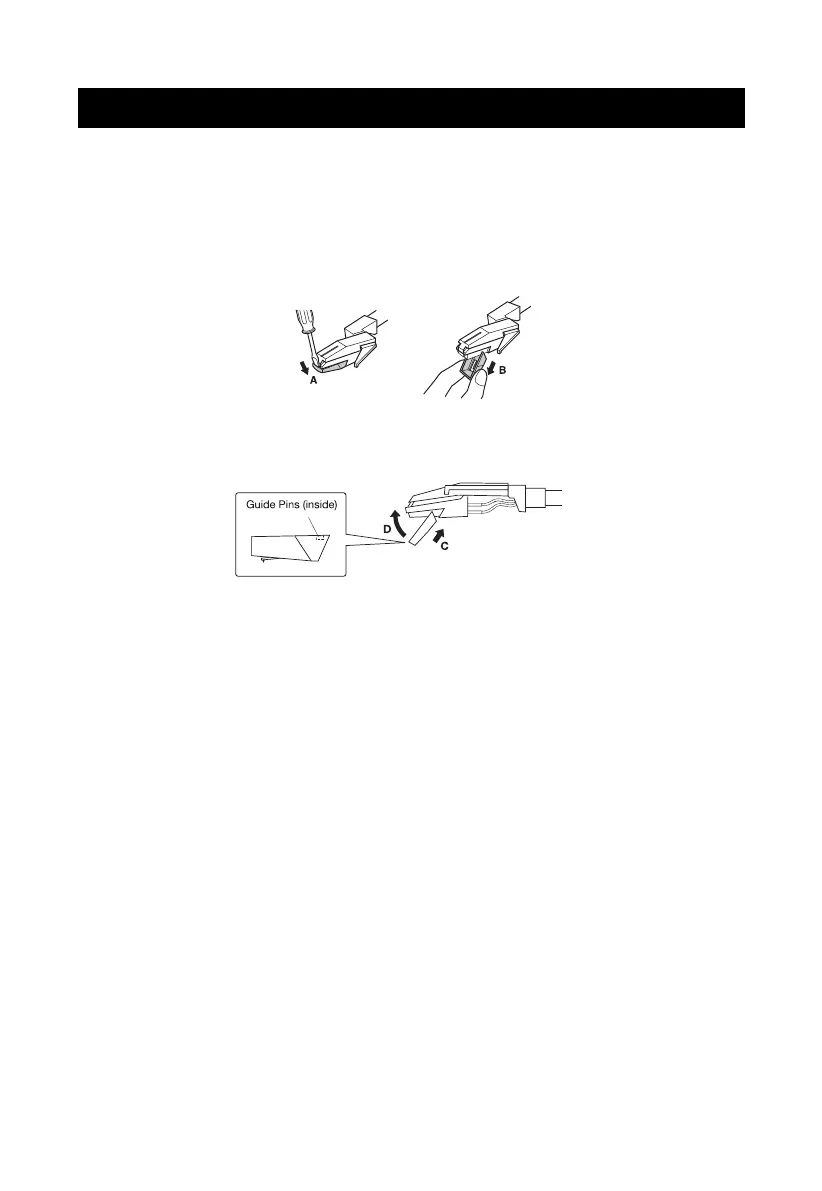
Removing an Old Stylus
1.
Set a screwdriver at the tip of the stylus and push down to the direction "A".
2. Pull the stylus out toward direction "B".
Installing a New Stylus
1. Hold the tip of the stylus and insert the other edge by pressing toward direction "C".
2. Push the stylus up toward direction "D" until it locks at the tip.


 To Next Page