MODE
MODE
MODE
OFF ON
QUICK START GUIDE
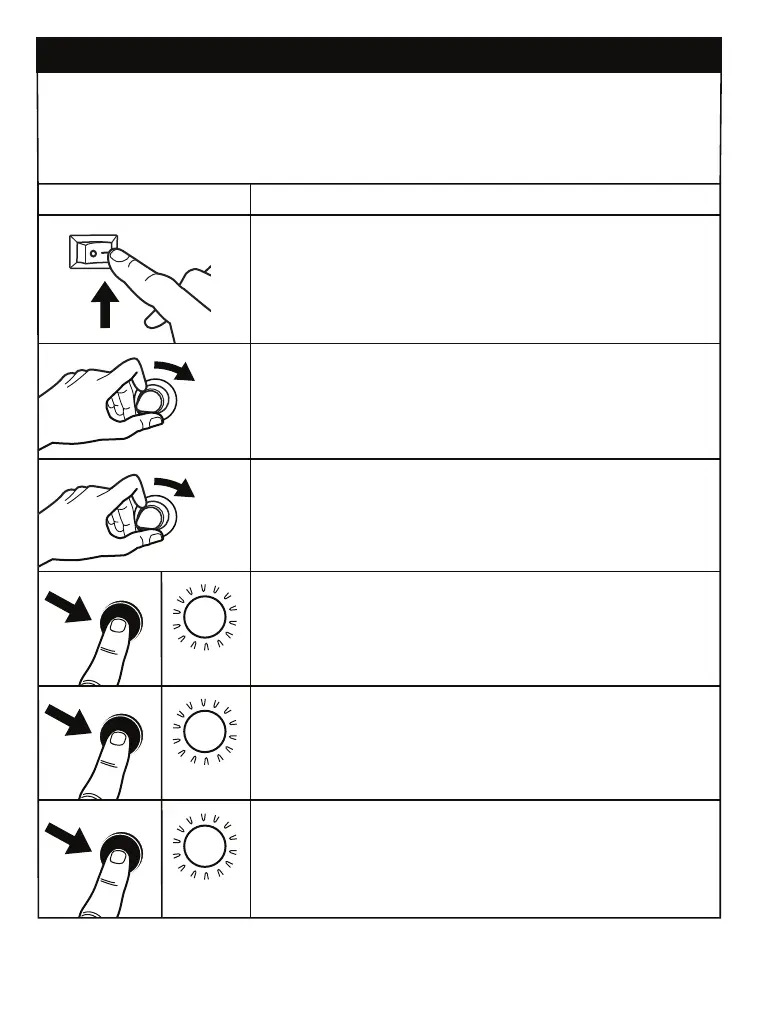
MODE BUTTON - TO CYCLE THROUGH FEATURES
BLUETOOTH: Press to pair the unit.
SUB-IN:
Press to play audio from a subwoofer connection.
RCA-IN: Press to play audio from a connected auxiliary device.
FUNCTION
POWER ON/OFF: Flip Switch to Power ON or OFF the Unit.
BLUE
OPERATION
PURPLE
RED
VOLUME KNOB: Turn the Knob to Raise or Lower the Volume.
CROSSOVER KNOB: Turn The Knob To Boost or Reduce
the Frequency Sound Range.
Press MODE Button for: BLUETOOTH:
LED will FLASH when searching.
Once connected, the LED will turn SOLID.
Press MODE Button for: SUB-IN:
Press MODE Button for: RCA-IN:
VOLUME
CROSSOVER



 To Next Page