WIRELESS PAIRING
SPECIFICATIONS
GENERAL
Power Requirements .................................................................................AC 100-240V~50/60Hz
Power Consumption..................................................................................70 W
Horn ...........................................................................................................6.5” woofer x1
Dimensions (W x D x H) .............................................................................230mm x 230mm x 279mm (approx)
Weight ........................................................................................................4.75 kgs
BLUETOOTH
Bluetooth Version ......................................................................................Bluetooth V5.0
Bluetooth Proles ...................................................................................... A2DP, AVRCP
Bluetooth Frequency range....................................................................... 2.402GHz-2.480GHz
Operating Distance ...................................................................................10 meters (33 ft.)
INCLUDED:
S1 Subwoofer, RCA Y Cable, Power Cable
, Instruction Manual, Quick Setup Guide
Pair
Sub
R L
TURNTABLE
R RCA L
MODE
SUBWOOFER
R RCA L
MODE
SUBWOOFER
WIRELESS PAIRING THE V1
TURNTABLE (Sold Separately):
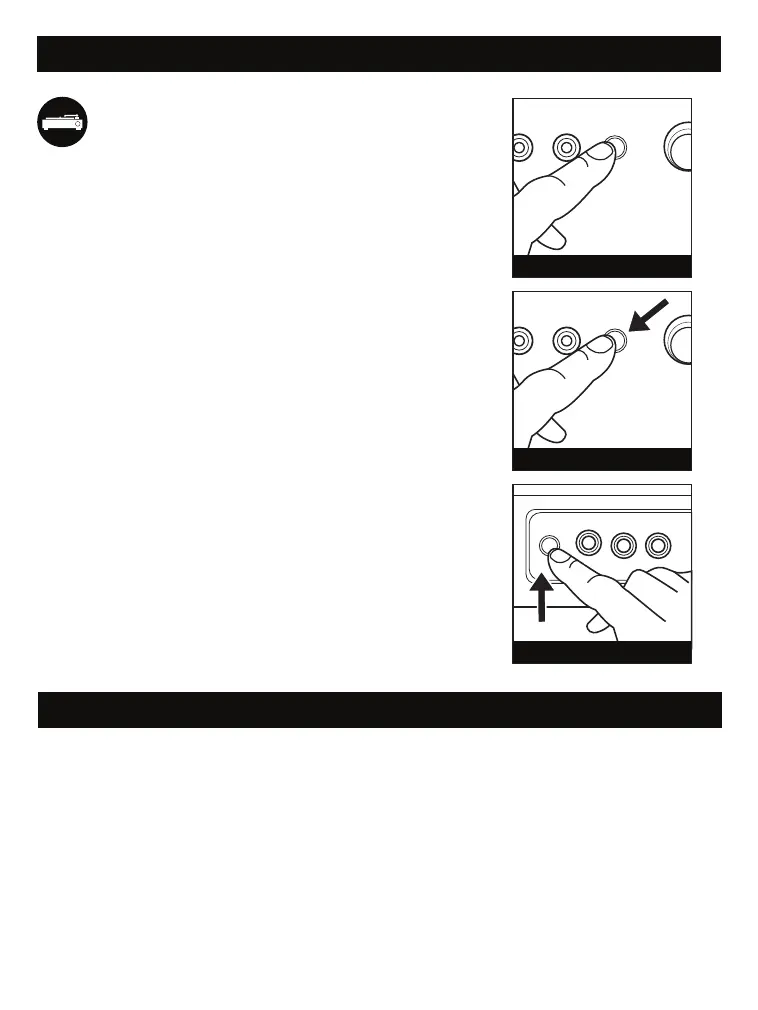
Turn on the S1 Subwoofer and
V1 Turntable. Press the MODE
button on the back of the Subwoofer
until the LED turns BLUE. The LED
will slowly ash BLUE indicating it is
in Wireless Mode.
Press and hold the MODE button
for 1-2 seconds to enter Pairing
Mode. The LED will begin to quickly
ash BLUE.
On the V1 Turntable, Press and hold
the PAIR button on the back of the
unit for 1-2 seconds. you will hear
the pairing notication from the V1.
Once both the V1 and S1 are
paired, you will hear a connection
chime. The BLUE LED on the back
of the S1 will remain solid.


 To Next Page
 Loading...