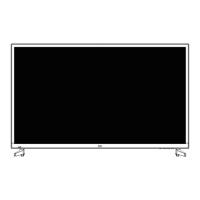
This document describes the VIDÃO 49V40UHD 49" 4K Ultra HD Television, a display device designed for home entertainment.
Function Description:
The VIDÃO 49V40UHD is a 49-inch 4K Ultra HD television that provides high-quality video and sound. It is designed to display content from various sources, including digital cable boxes, satellite receivers, DVD players, Blu-ray players, game consoles, and USB devices. The television supports multiple input types, allowing for versatile connectivity with different entertainment systems. It also includes features for customizing picture and audio settings, managing channels, and parental controls.
Important Technical Specifications:
- Display: UHD LED
- Size (inch): 49" Diagonal
- Aspect Ratio: 16:9
- Digital Compatibility: 480p / 720p / 1080i / 1080p / 2160p
- Resolution: 3840x2160
- Brightness (cd/m2): 200
- Dynamic Contrast Ratio: 5500:1
- Vertical Viewing Angle (degrees): 178°
- Horizontal Viewing Angle (degrees): 178°
- Maximum Colors (millions): 16.7M
- Power Consumption: 135 W
- Audio Power: 2 x 8W
- Dimension without Stand: 43.4" (W) x 25.1" (H) x 3.3" (D)
- Weight (may vary ± 10%): 23.5 lbs
- Input Connections:
- Composite Video: (1)
- Y Pb Pr: (1)
- HDMI: (4)
- HDMI with MHL: (1) (HDMI4 is MHL compatible)
- CABLE-ANTENNA: (1)
- Optical: (1)
- AUDIO out: (1)
- USB: (1)
- VESA Mounting Pattern: 600x300
Usage Features:
Installation and Setup:
- Base Installation: The TV comes with a pedestal base that requires attaching with four M4X12 screws. It is recommended to place the TV face down on a soft cloth or cushion during installation.
- Wall Mounting: The TV supports a 600x300 VESA mounting bracket. Professional installation is recommended for wall mounting, and the pedestal base must be removed.
- Initial Setup Wizard: Guides users through initial setup, including language selection, time zone, daylight saving time, and time format.
- Channel Auto Scan: Automatically scans for available broadcast channels. Users with cable/satellite set-top boxes are advised NOT to run this scan if their box is connected via HDMI.
- Input Source Selection: The INPUT button on the remote allows users to select various input sources such as TV, AV, Component, HDMI1-4, and Media.
Remote Control:
- Battery Installation: Requires two AAA batteries, ensuring correct polarity.
- Functions: Includes buttons for Power, Display, Play/Pause, Previous, Next, Stop, Repeat (USB), Channel List, Guide, Favorite, Freeze, Picture Mode, Color Temperature, Navigation (Arrows/ENTER), Exit, Return, Sleep Timer, Menu, Aspect Ratio, Volume, Last Channel, Mute, Channel Up/Down, Number Keys, Input, Audio, MTS (Multi-channel Television Sound), and CCD (Closed Caption Display).
- Cable/Satellite Remote Codes: Compatible with Comcast/Direct TV (10030), AT&T (U-verse) (1043), Dish Network (506), and RCA Universal (0030).
Picture Settings:
- Picture Mode: Offers Standard, Dynamic, Soft, User, and Power Saving modes.
- Adjustments: Allows fine-tuning of Brightness, Contrast, Color, Tint, and Sharpness.
- Color Temperature: Options include Cool, Normal, and Warm.
- Advanced Settings: Provides access to advanced video features for fine-tuning.
Audio Settings:
- Sound Mode: Includes Standard, Music, Movie, Sports, and User modes.
- Adjustments: Allows control over Bass, Treble, and Balance.
- MTS: Selects Mono, Stereo, or SAP (Second Audio Program).
- Digital Audio Output: Options for Raw, Off, or PCM when connected to a Dolby Digital receiver via optical output.
- Surround Sound: Enables or disables surround sound.
- AVL (Automatic Volume Leveler): Controls automatic volume leveling.
- Audio Language: Selects between English, Français, and Español.
Date & Time Settings:
- Sleep Timer: Sets the TV to automatically turn off after a specified duration (5 to 240 minutes, or Off).
- Time Zone: Selects local time zone (Eastern, Central, Mountain, Pacific, Alaska, Hawaii, Samoa, Newfoundland, Atlantic).
- Daylight Savings Time: On or Off.
- Time Format: 12-hour or 24-hour.
- Auto Clock: Automatically sets clock when the tuner receives a broadcast channel.
Setup Settings:
- Menu Language: English, Français, Español.
- Transparent: Adjusts the transparency of the on-screen display (OSD) menu.
- OSD Timeout: Sets the duration the OSD menu remains on screen.
- Input Label: Allows creation of custom labels for connected devices.
- Other Settings: Adjusts settings for Audio Only, No Signal Power Off, and No Operation Power Off.
- Restore Default: Resets all adjustments to original factory settings.
- Setup Wizard: Initiates the first-time installation process.
Closed Captions (CC):
- CC Mode: Options include CC Off, CC On, and CC on Mute.
- Analog CC: Selects CC1-4 or TEXT1-4.
- Digital CC: Selects Off or Service 1-6.
- Option: Customizes text fonts, colors, and opacities for closed captions.
CEC Settings:
- CEC Control: Enables or disables CEC functions for compatible external devices connected via HDMI.
- Device Auto Power Off: Automatically turns off external devices when the TV powers off.
- TV Auto Power On: External devices automatically switch to HDMI mode when the TV powers on.
- Audio Receiver: Controls external amplifier volume via TV.
- Device Lists: Displays connected CEC devices.
- Connect: Connects TV and DVD player.
- Root Menu: Enters DVD menu.
Parental Control:
- System Lock: Blocks television and movie programming based on TV ratings and Motion Picture Association guidelines.
- Password: Requires a 4-digit code (default "0000") to access parental control settings.
- US Rating:
- TV-Y (Appropriate for all children)
- TV-Y7 (Appropriate for children over 7)
- TV-G (General Audience)
- TV-PG (Parental Guidance Suggested)
- TV-14 (Parents Strongly Cautioned)
- TV-MA (Mature Audience Only)
- MPAA ratings: G, PG, PG-13, R, NC-17, X.
- Canadian Rating:
- Off (Turn Off)
- C (Appropriate for all children)
- C8+ (Appropriate for everyone 8 years old and up)
- G (General Audience)
- PG (Parental Guidance)
- 14+ (Appropriate for Children over 14 years old)
- 18+ (Mature Audience Only)
- 8 ans+, 13 ans+, 16 ans+, 18 ans+.
Channel Settings:
- Air/Cable: Selects between Air (antenna) or Cable connection.
- Auto Scan: Scans for channels.
- Favorite: Adds or deletes channels from a favorite list.
- Show/Hide: Selects or skips channels in memory.
- Channel Label: Names or renames broadcast channels.
Zoom Modes (Aspect Ratio):
- Normal: For native widescreen content and undistorted 4:3 images (with black bars).
- Wide: Stretches 4:3 content to reduce black bars.
- Zoom: Stretches image vertically and horizontally to fill the screen, cropping images.
- Cinema: Fills the entire screen for 4:3 content, eliminating side black bars and potentially reducing black bars on widescreen movies.
USB Modes:
- Photo Viewer: Displays photos from a connected USB device.
- Music Player: Plays music from a connected USB device.
- Playback Functions: Includes Play, Pause, Next, etc.
- Supported USB Devices: USB flash/hard drive (max 400GB), supports MP3 and JPEG.
MHL Setting:
- MHL-enabled Device Connection: Connects smartphones and tablets to HDMI4 (MHL) input using a special MHL cable (not included) to mirror the device's screen on the TV.
Maintenance Features:
- Cleaning: Unplug the TV before cleaning. Use a soft, slightly damp cloth; avoid liquid or aerosol cleaners.
- Battery Care: Remove batteries if the remote is unused for extended periods to prevent chemical leakage. Do not mix old and new batteries or different types.
- Troubleshooting Guide: Provides solutions for common issues such as no channels, no color, video noise, blocked channels, non-functional features, no sound, black box on screen, no power, no picture, and remote control issues.
- Safety Instructions: Emphasizes reading instructions, keeping the TV away from water and heat sources, proper ventilation, using specified attachments, and referring servicing to qualified personnel.
- Outdoor Use: Not designed for outdoor installation; exposure to rain or direct sunlight can cause damage.
- Power Cord Protection: Protect the power cord from being walked on or pinched.
- Lightning Protection: Unplug during lightning storms or when unused for long periods.
- FCC Regulatory Information: Details compliance with Class B digital device limits and measures to correct interference.
- Warranty: Limited one-year warranty covering defects in material and workmanship under normal use. Provides for repair or replacement. Technical support is available via phone and website. The warranty is voided by unauthorized servicing, misuse, neglect, accident, abuse, or modification.

 Need help?

 To Next Page
 General