27
PIX-ASSIST MONITORING SUITE
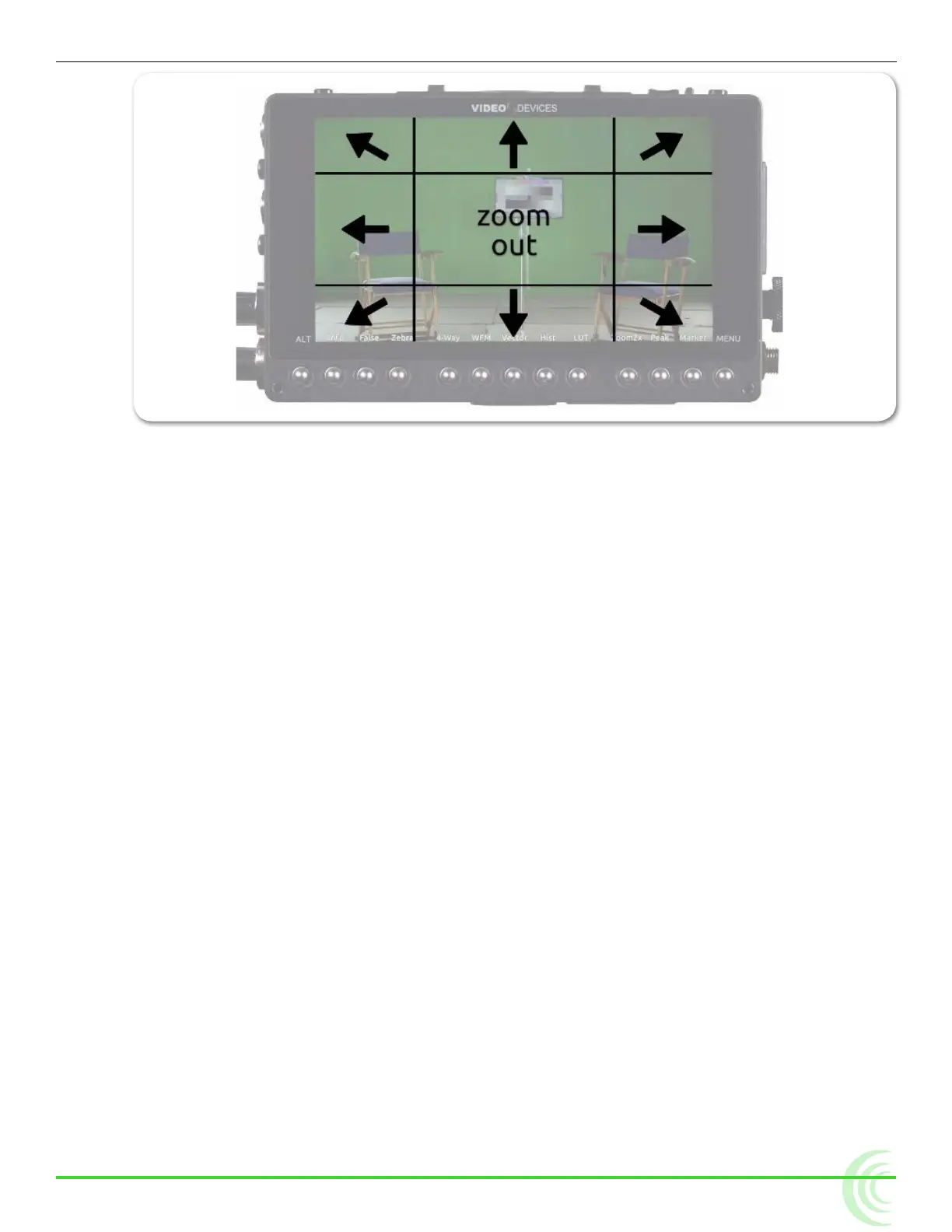
While zoomed in, you may tap toward the edges of the screen to follow a mov-
ing subject around within a shot, or tap the center of the screen to return to a
non-magnied view of the overall shot.
Enabling or Disabling Zoom
Zoom is a feature that may be disabled.
To enable or disable Zoom:
1. Press and hold the Zoom soft key button. The Zoom menu appears super-
imposed over the lower portion of the screen.
2. Do one of the following:
X Select Zoom Enabled to turn on zoom functionality.
X Select Zoom Disabled to turn off zoom functionality.
When disabled, the Zoom soft key button no longer toggles between magnica-
tion settings, and its soft key label displays NoZoom.
Using Peaking
Peaking is a focus-assist tool that makes it easy to discern an object in focus by
visually highlighting sharp edges. It can also be used in conjunction with zoom
to rapidly achieve ultra-precise focus.
PIX-E provides a range of options to help make the sharp focused edges stand
out regardless of the color and content of the video image. These options in-
clude user-customizable peaking sensitivity, color, throb, background contrast
and background color.
The following comparison demonstrates the effect of peaking (shown in red) on
an monochrome image with a shallow depth-of-eld and a short focal length



 To Next Page