Operating Controls and Connections
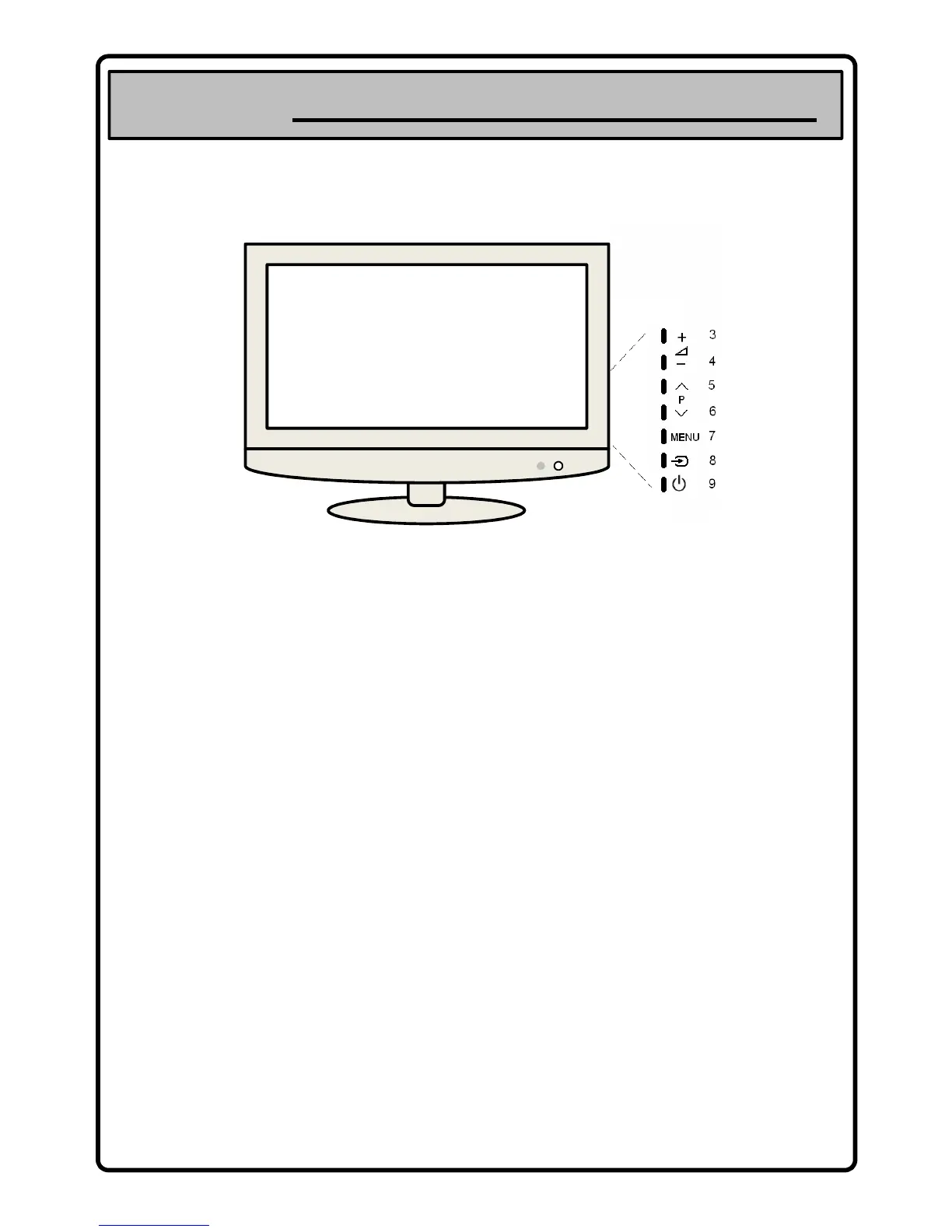
Operating Controls/ Names and Functions
Front (Right Side) Controls
1 2
the light is blue when the power is on and red
when TV is in stand-by mode.
3. VOLUME UP
increase the volume
5. CHANNEL UP (CH+)
access next TV channel
7. MENU
press to display On Screen Menu of the TV’s
features and settings
9. STAND-BY
press to switch the TV stand-by on/off
aim the remote control at this spot on the TV
4. VOLUME DOWN
decrease the volume
6. CHANNEL DOWN (CH-)
access previous TV channel
8. SOURCE
press to display on screen menu of TV’s input
sources - enables you to select from – TV, SCART 1
– 2, S VIDEO, Component, VGA, HDMI 1 – 3, DTV
(These figures are just for reference.)


 To Next Page