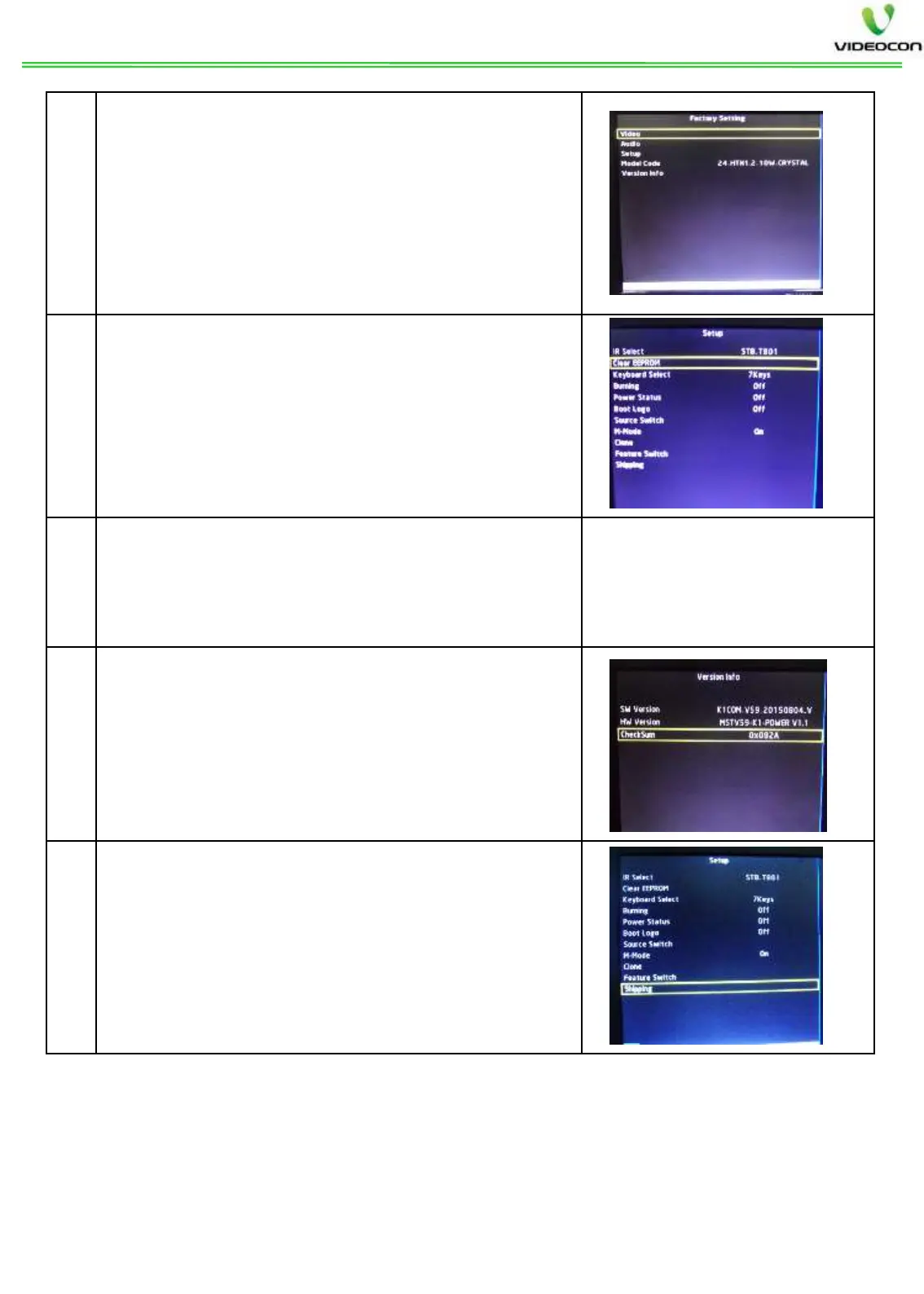
After SW update, go to Design Menu by
Pressing MENU => AUDIO MENU => 8 5 3 2
Go to Setup design menu and Select Clear
EEPROM option and press OK key of remote.
After Clear EEPROM, the set will go to stand
by and will again restart automatically in RF
source.
Then verify the modelwise Audio/ Video
settings as per Design
the SW date and version in Version info
Then press Shipping in Setup design menu by
pressing OK key of remote, after shipping set
displays “SHIPPING FINISH
OFF the set from main power and
ON. The SW loading process Is


 To Next Page
 Loading...