23
Set method: refer to Chapter 4.4.1. Motion Detect
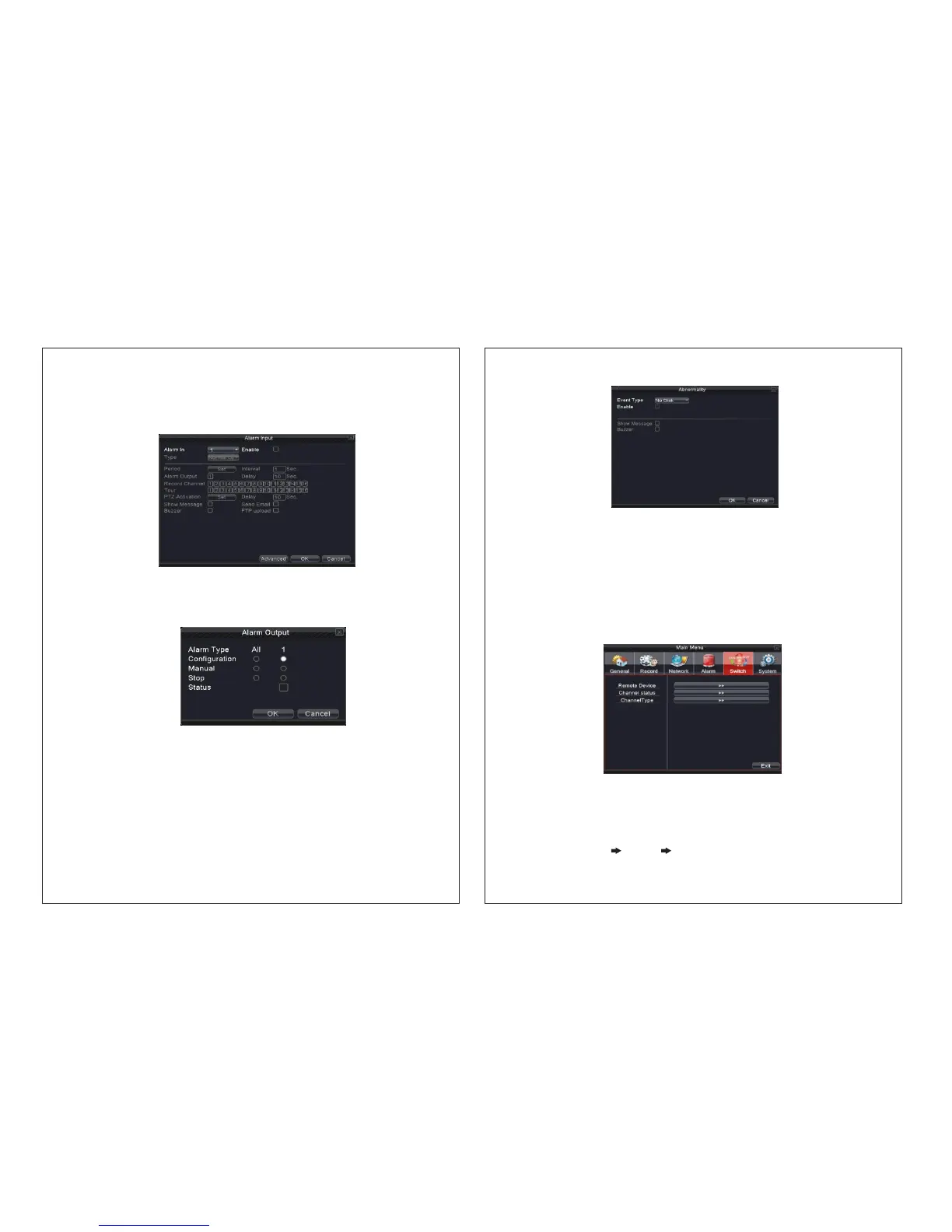
Picture 4.26 alarm input
4.4.4 Alarm input
When the equipment obtains the external alarm signal, the alarm function is turned on.
Set method: refer to Chapter 4.4.1. Motion Detect
4.4.5 Alarm output
Control alarm output state of all channels
Picture 4.27 alarm output
Configuration: Alarm is on according to the configuration.
Manual: The output of the alarm will be manual after selecting manual alarm output.
Stop: Click the stop button and the respective channel stops ringing the alarm irrespective
of the channel State.
4.4.6 Abnormality
It will buzz and appear screen prompts once there is no disk, HDD wrongly connected, no
disk space, network cut, IP conflict etc. The device gives signal for customers to know
NVR abnormality.
24
Event Type: Choose abnormality type, support five matters
Enable: Enable these three settings
Less than: this item can be set only when matter type shows no disk space, set
percentage (1-99).
When HDD space reach this setting limitation, NVR will have cue as following two
ways: Show Message Show message: pop up message frame on NVR screen
Buzzer: NVR will signal when alarm occurs
Picture 4.28 Abnormality
Picture 4.29 Switch
4.5 Switch (Somemodelwithoutthisfunction)
Customers can switch channel type according to their requirements
Note 1: Different models have different channel type
2: If not required please don’t switch channel type
4.5.1【ChannelType】
Switch channel type (the following NVR mode for example)
1. Choose “Main Menu”“Switch”“Channel type”


 To Next Page