13
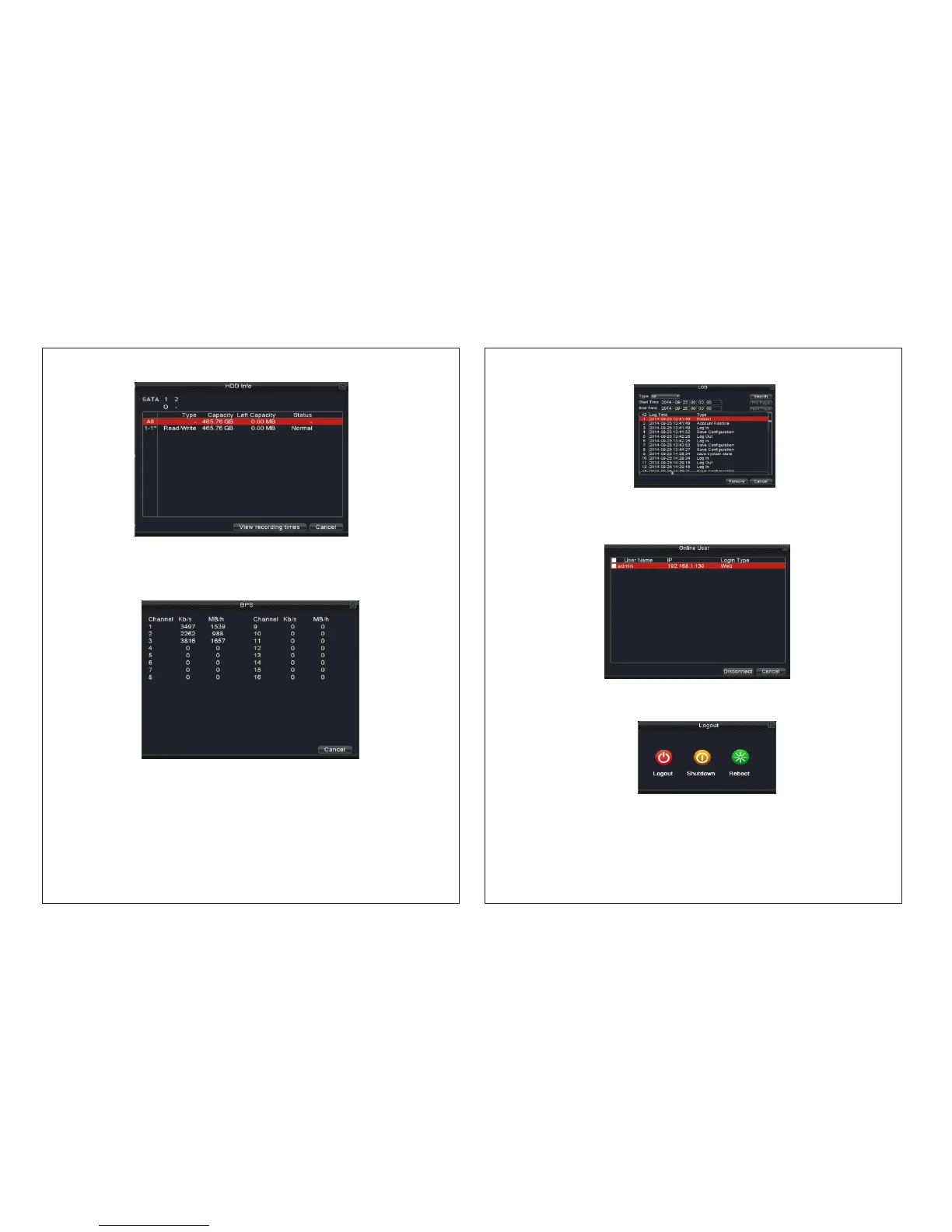
3.3.8.3 BPS
Picture 3.12 Code stream statistics
Picture 3.11 hard disk information
Displays the code stream Kb/S and hard disk capability MB/H in real time.
3.3.8.4 LOG
Look up system log according to the set mode.
Log information includes: system operation, configuration operation, data management,
alarm affair, recording operation, user management, and file management and so on. Set
the time section to look up and click the look up button. The log information will display as
a list. You can press delete button to clear all the log information.
14
Picture 3.13 log information
3.3.8.5 Online User
Look up the network user information in the local NVR. You can lock the user by selecting
the user and then pressing disconnect button. The user will be locked until next boot-strap.
Picture 3.14 online user.
3.3.9 Logout
Logout, shutdown the system or reboot up.
Logout: Logout from the device.
Shutdown: The device will shut down
Reboot: The device will restart


 To Next Page