27
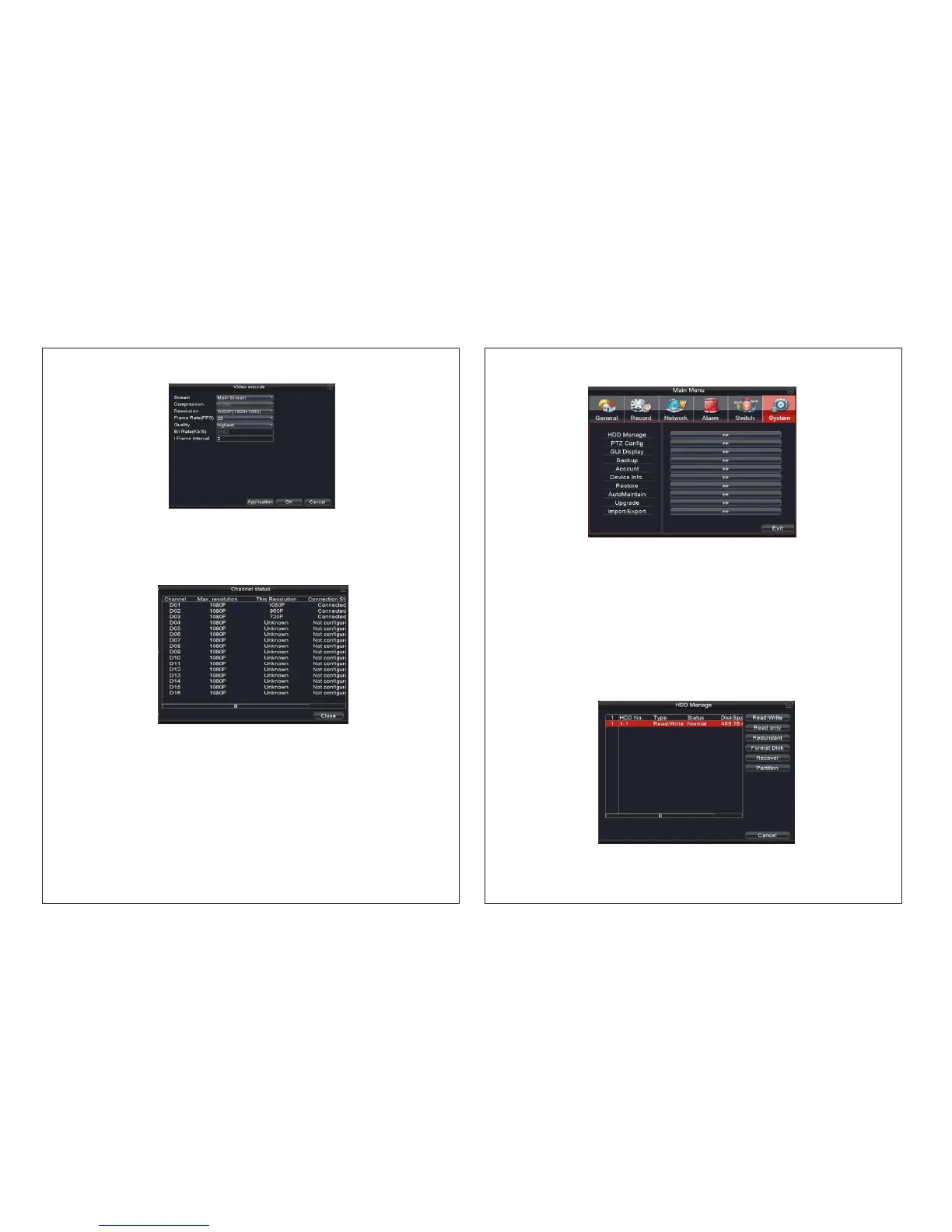
Picture 4.34 Vedio encode
Picture 4.35 channel status
Delete [ x ] Click “Delete” or click “ ” to make IPC unbinding for the selected channel.
4.5.3【Channelstatus】
Shows the maximum resolution of all digital channels, connected signal resolution
and connection status.
Note: While setting binding the digital signal of channel, the resolution of the IP device
should be less than or equal to the NVR resolution otherwise the image will not be displayed.
Channel configuration:changeIPdeviceʼsconfiguration.
4.6 System management
Set the system parameters such as HDD Manage、PTZ Config、GUI Display
Backup、Account、 Device Info、Restore、Auto Maintain、Upgrade and
Import/Export.
28
Picture 4.36 System Management
Picture 4.37 HDD Manage
4.6.1 HDD Management
Configure and manage the hard disk.
The menu displays current hard disk information: hard disk number, input port, type,
status and overall capability.
The HDD operation includes: setup the write-read disk, read-only disk, redundant disk,
hard disk format, resume default. Choose the hard disk and click the right function button
to execute.
Read/Write: The device can read and write if this option is selected.
Read only: The device can only read this option is selected.
Redundant: Double backup of the video files in the write-read disk.
Format Disk: All the data will be lost after formatting the disk.


 To Next Page