37
5.4 Mobile Phone Monitoring
The device allows you to remotely view the streaming of your NVR on your smartphone.
It supports channel switching and multichannel monitoring.
Please follow the below citied steps :
Android and iOS users can download ‘Goodeye’ application from playstore or appstore.
a. Go to Local Login and click on add device.
b. Enter device name(you can put any name in this field) and serial number.
c. Select the ‘Higher’ options and enter NVR user name and password to login.
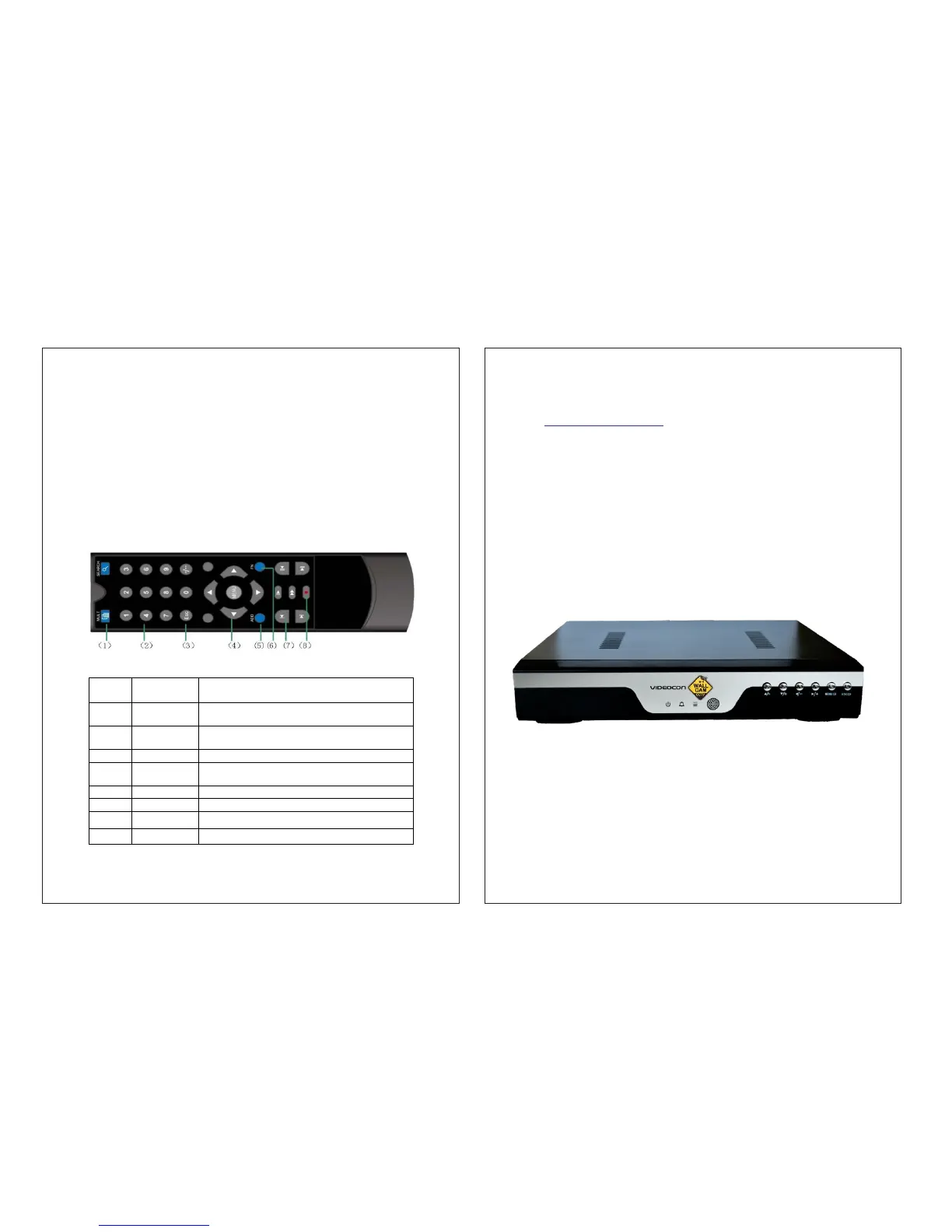
Appendix 1. Remote controller operation
Serial Name Function
number
1 Multi-window Same function as M ulti-w indow button in the front
butto n panel
2 Numeric Code input/number input/channel switch
butto n
3
Esc S am e function as E sc button in the fro nt panel
4 Direction S am e function as direction b utton in the fron t panel
butto n
5 ADD Input the num ber of NVR to control it
6 FN Assistant function
7 Record control C ontrol the record
8 Record m ode Same function as “Record m ode”
Notes:
• For detailed operation introduction, please download detailed manual from our
website www.videoconwallcam.com
• All the designs, software and user interface are subject to change without prior written
notice.
• All trademarks and registered trademarks mentioned are the properties of their
respective owners.
• If there is any uncertainty or controversy, please refer to the final explanation of us.
• Please visit our website or contact your local service engineer for more information.
• The user interface may change for different smart phone apps, the above is an
illustration to configure one of the smart phone.
• All the features and specifications mentioned in this manual may vary model to model.
38
WallCam
Network Video Recorder


 To Previous Page