EXCEL 2000 Series Operator Manual
3-7
Keyboard Lock and Display Contrast Features
Keyboard Lock Features
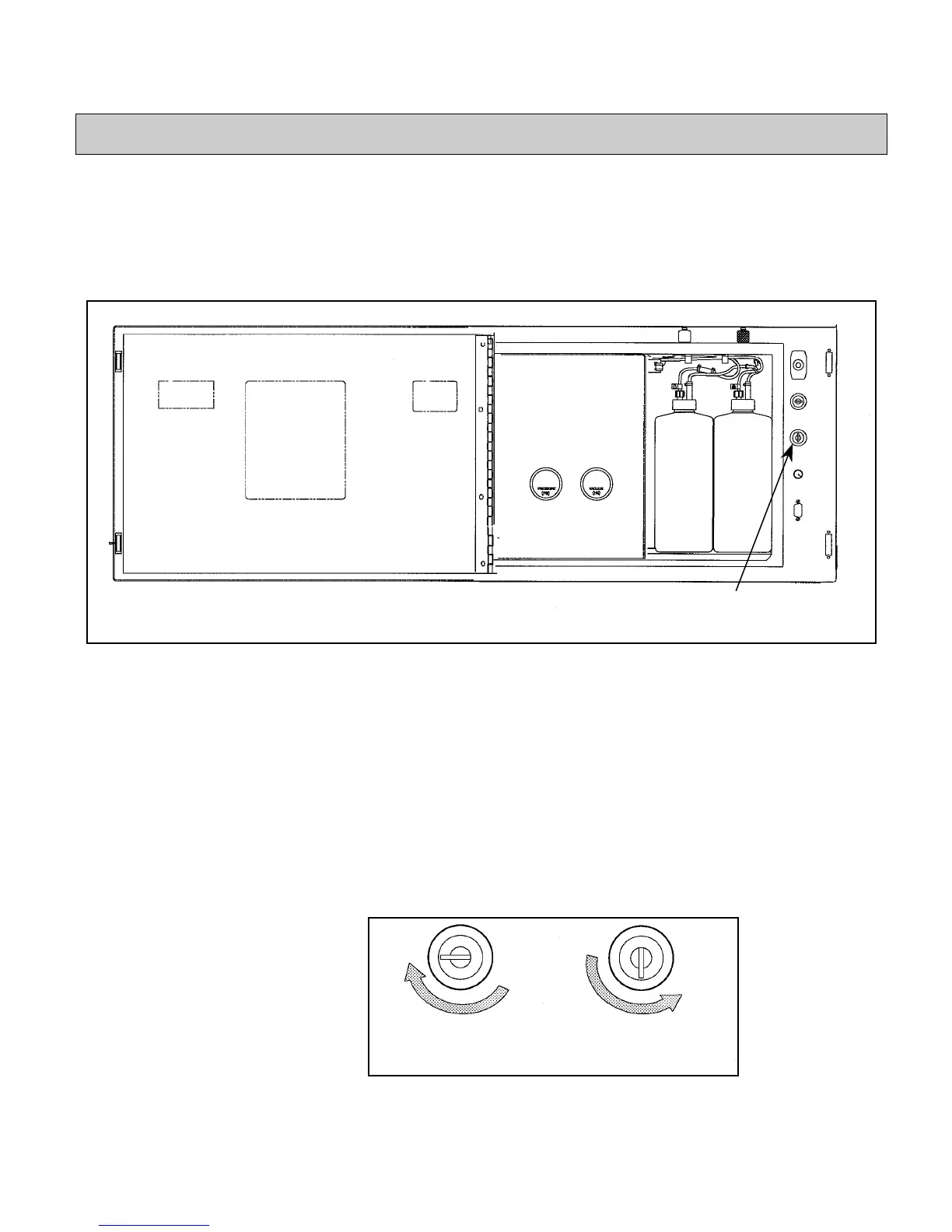
The printer keyboard lock feature allows you to prevent others
from using the keyboard. Open the fluid pan door; the keyboard
lock is located to the right of the fluid pan. Refer to Figure 3-3.
Figure 3-3. Keyboard Lock
To lock the keyboard:
Insert the brass key (supplied with the printer) into the keyboard
lock slot and turn it clockwise one-quarter turn (refer to
Figure 3-4). This will prevent unwanted users from accessing the
keyboard.
To unlock the keyboard:
Insert the key into the keyboard lock slot and turn it
counterclockwise one-quarter turn (refer to Figure 3-4).
Figure 3-4. Locking and Unlocking the Keyboard
Keyboard Lock
Locked Position Unlocked Position


 To Next Page