EXCEL 2000 Series Operator Manual
3-15
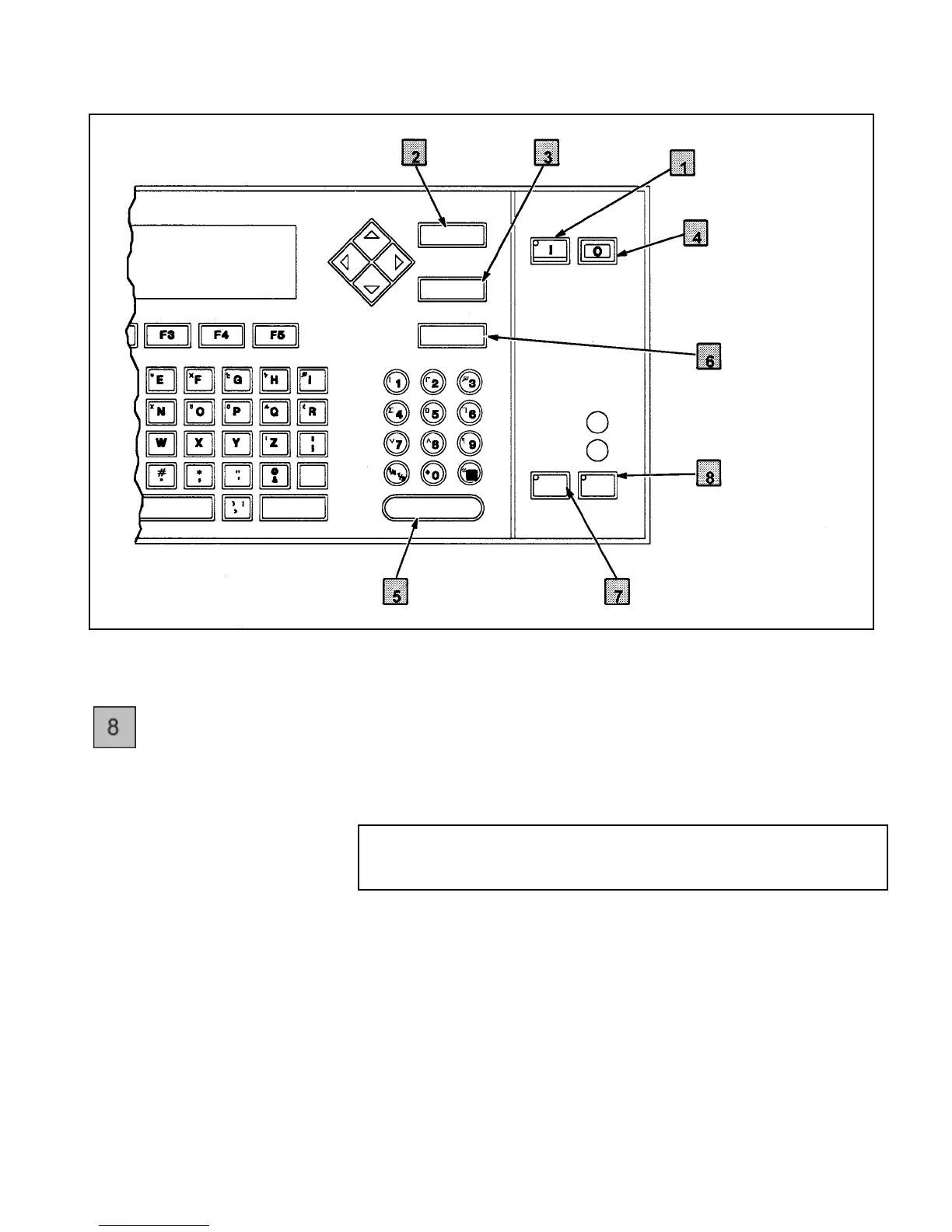
Figure 3-9. Control Keys on the Keyboard
PRINT
Key
The PRINT key is used to make the printer ready to print a
message. The printer can print a message only if the printhead is
active. Therefore, the PRINT key is active only if the light on the
HEAD key is On first (indicating that the printhead is active).
NOTE:The HEAD key is not active while the printer is in the
Service mode, unless the Ink is turned On in the
Service mode.
If you press the PRINT key when the HEAD key light is flashing
or Off, your attempt to print will be ignored. (The PRINT key will
flash if it is pressed during the start–up sequence. It will remain
flashing until the printer has completed the start–up.)
Once the PRINT key is pressed (when the light on the HEAD key
is already On), the READY light will turn On, indicating that the
printer is now ready to print a message once it receives a product
detect signal.
PACE SHIFT ENTER
CANCEL
DELETE
HELP
EADY
ERVICE
ALT
SHIFT
HEAD PRINT
DELETE
Key
ON Key
OFF Key
HELP Key
PRINT Key
HEAD KeyENTER Key
CANCEL
Key


 To Next Page