EXCEL 2000 Series Operator Manual
6-9
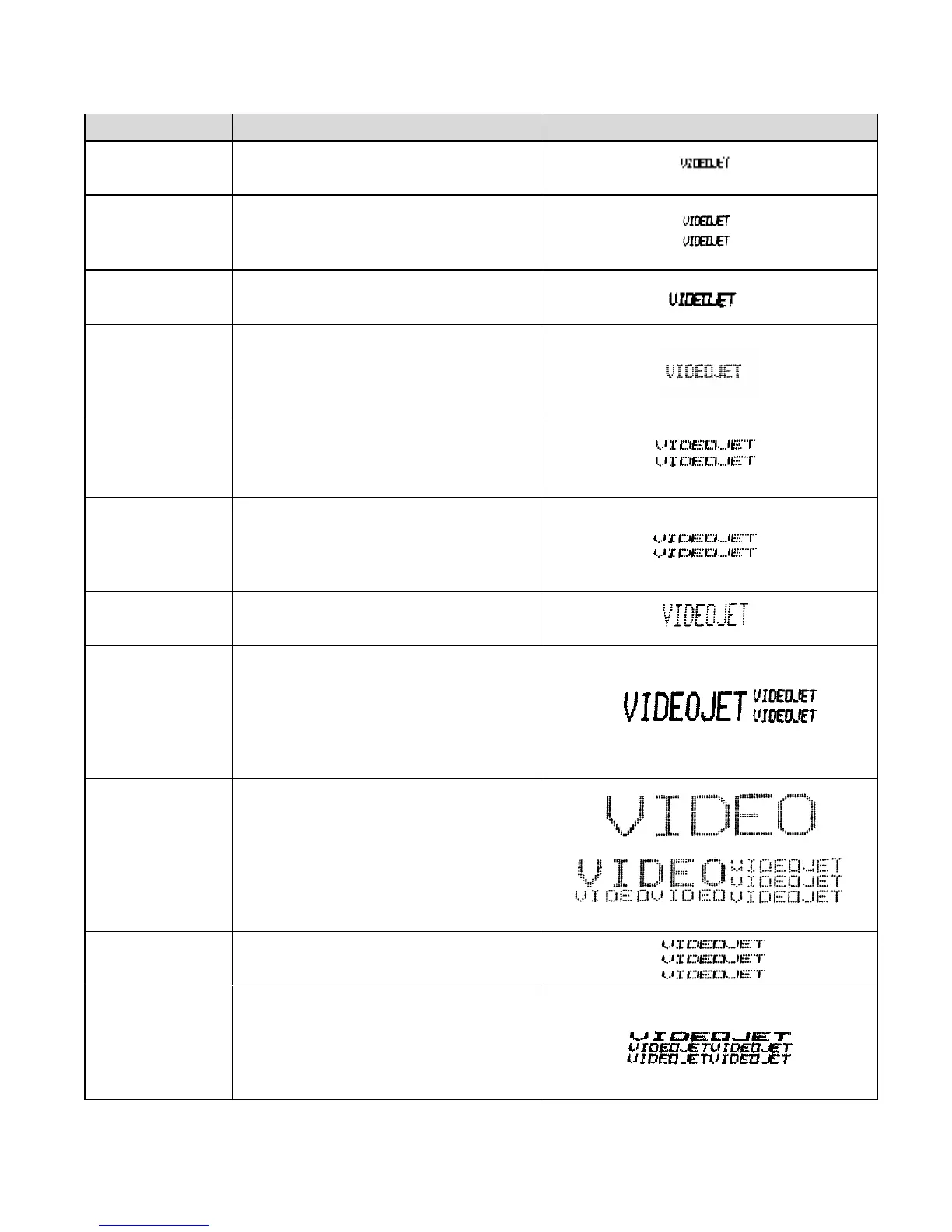
Matrix Type Definition Print Sample
5 x 5 SL
Accudrop
This format will print one 5 x 5 line
(Single–Line).
5 x 5 TL This format will print two 5 x 5 lines
(Twin–Line). It is intended to be used
with high speed applications.
5 x 7 SL This format will print one 5 x 7 line
(Single–Line).
6 x 7 SL
This format will print one 6 x 7 line
(Single-Line). This provides a slightly
larger character with more visibility
than the 5 x 7 SL.
5 x 7 TL This format will print two 5 x 7 lines
(Twin–Line). It is intended to be used
with high speed applications.
5 x 7 STL This format will print two 5 x 7 lines
(Standard Twin–Line). It is intended to
print at a lower speed and provides a
higher quality print than the 5 x 7 TL.
7 x 9 SL This format will print one 7 x 9 line
(Single–Line).
10 x 16 Mixed This format will print one 16 high line,
two 7 high lines, or a combination of
both (Mixed–Line). Select <CHAR.
SIZE> to switch between the single
and double line options within the
message.
16 x 24 Mixed This format will print one 24 high line,
two lines (one 16 high and the other 7
high), three 7 high lines or a
combination of all three (Mixed–Line).
Select <CHAR. SIZE> to switch
between the single, double and triple
line options within the message.
5 x 7/5 x 7/5 x 7 This format will print three 5 x 7 lines
(Tri–Line).
10x7/5x7/5x7
5x7/10x7/5x7
5x7/5x7/10x7
This format will print three lines with
either the first, second or third line
bolded (Tri–Line Bold). Select the
10 x 7 option as the first, second, or
third line to select that line as bold.


 To Next Page