6
VIDEOMAN
3 Features and Operations
Basic Operation
Function Button Back Light
1)
Function buttons become active with backlight if any of the buttons are touched, a call is made from a
doorstation or other monitors, or a memory control button on the side of monitor is pressed.
2)
Function buttons backlight will switch off and all buttons become inactive after 15 seconds
automatically.
N.B. Function buttons are inactive while the backlight is off; touch to activate and touch again to use.
Visitor's Call
1)
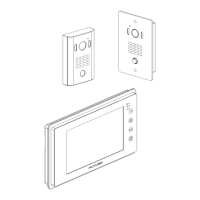
When a visitor pushes the "CALL" button on the doorstation, the image of the caller will be shown on
the monitor(s) with a melody tone.
2)
Press the "TALK" button to talk with the caller.
3)
Press the "DOOR OPEN" button to activate the electric door latch while talking with the visitor if it is
installed.
4)
Press the "TALK" button again to return to the standby mode to screen and audio stays off.
Note : When FUTURO-SD4 is equipped with the FUTURO-SD-Card(optional) and motion is detected by the
camera, " Advanced Recording Function" is activated and video footage is recorded onto FUTURO-SD-
Card.
Regardless of whether the optional FUTURO-SD-Card is inserted in the monitor or not, FUTURO-SD4
records a still photo in the internal memory when the "CALL" button is pressed.
FUTURO-SD4B model does not have any of the photo recording function.
The monitor will switch back to standby mode automatically after 120 seconds if answered,
or 40 seconds if not answered.
Intercommunication between monitors
1)
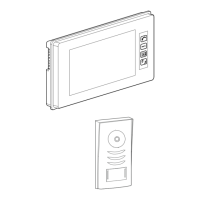
Touch the function button area to activate the buttons.
2)
Press the "INTERPHONE" button briefly on a monitor to call another monitor(s).
3)
Press the "TALK" button briefly on a called monitor to commence communication with the calling
monitor.
4)
Press the "TALK" button again to end communication and return to standby mode.
Note : When a visitor presses the "CALL" button at the doorstation while there is communication between
monitors, the conversation will be overridden and the system will be switched to Visitor Call Mode.
Paging
1)
Touch the function button area to activate the buttons.
2)
Press and hold the "INTERPHONE" button on the monitor 4 ~ 5 seconds until 'BEEP" sound then
intercommunication is established without the called monitors' required to answer.
During this Paging mode, the "MELODY MUTE" LED (Red) on the monitor will blink.
3)
Press the 'TALK" button to return to standby mode from any monitor.
Baby Monitoring
1)
Touch the function button area to activate the buttons.
2)
Press the "INTERPHONE" button from the monitor in baby's room.
3)
Press and hold the "TALK" button on the other called monitor until a “BEEP” sound.
When "BABY MONITORING" is activated between monitors, the "POWER & BABY MONITORING"
LED (Blue) on the monitors will blink and the other monitor will be able to hear audio from the baby's
room.
4)
Press the "TALK" button again to deactivate the baby monitoring function.


 To Next Page
 Loading...