Features and Operations 7
FUTURO
Note : To prevent a visitor's call disturbing a sleeping baby, it is recommended to mute the call melody on
baby's monitor.
Monitoring
1)
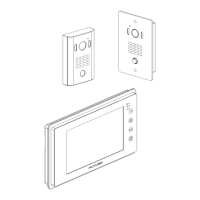
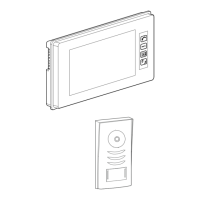
Touch function button area to activate the buttons.
2)
The view from the doorstation camera can be checked by pressing the "MONITOR" button.
3)
Press the "MONITOR" button again to return to the standby mode.
Monitor Video and Audio Adjustment
The screen brightness, contrast and melody volume can be adjusted by the buttons on the right hand side
of the monitor.
Door Open
1)
While monitoring or talking with visitors, press "DOOR OPEN" button to release the electric door latch
if it is installed.
2)
When more than one doorstation is in the system, it activates the electric door latch associated with
the doorstation.
Monitor Function Setup
Melody Setup
1)
Touch function button area to activate the buttons.
2)
Press and hold the "MONITOR" button on the monitor for 4 ~ 5 seconds until a “BEEP” is heard to
select a different call melody tone.
3)
A choice of 16 different tones can be selected by pressing the 'MONITOR" button sequentially.
4)
Press the "DOOR OPEN" button to select and save when a preferred melody is selected.
Melody Volume Setup
1)
Touch function button area to activate the buttons.
2)
To change the melody volume, press and hold the "MONITOR" button on the monitor for 4 ~ 5 seconds
until a "BEEP" is heard.
3)
A preferred volume level can be selected by pressing the "TALK" button.
4)
Press the "DOOR OPEN" button to confirm when the desired melody volume level is achieved.
Melody Mute Setup
1)
Touch function button area to activate the buttons.
2)
Press and hold the "DOOR OPEN" button on the monitor for 4 ~ 5 seconds in standby mode until a
"BEEP" is heard. The "MELODY MUTE" LED (Red) on the monitor will remain on. In this mode, there
will be no door call sound heard from this monitor when the "CALL" button is pressed by callers. If only
one monitor is in the system, the melody heard at the doorstation will also be muted.
3)
To un-mute Melody, repeat the process above.


 To Next Page
 Loading...