Need help?
Do you have a question about the Videotron Helix FI and is the answer not in the manual?
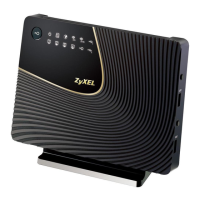
Lists essential components included in the box, such as the Helix Fi gateway and power supply cable.
Details optional accessories provided for specific configurations, including coaxial and Ethernet cables.
Instructs users to activate their equipment on their My Helix account online before proceeding with installation.
Guides users to uninstall previous internet modems, Wi-Fi routers, and TV terminals before setup.
Advises placing the gateway near the most central coaxial outlet for optimal Wi-Fi signal distribution.
Details how to securely connect the coaxial cable to the gateway and wall outlet, and plug in the power cord.
Explains the startup process which may take up to 20 minutes, including software updates and light indicators.
Instructs users to connect their mobile or computer to the gateway's temporary Wi-Fi network using provided credentials.
Guides users through accessing the gateway's interface via web browser to set up their new Wi-Fi network name and password.
Details how to connect all personal devices to the newly configured Wi-Fi network using the new password.
Provides guidance for checking coaxial cable connections if the gateway light remains orange or green.
Recommends downloading the Helix Fi app or visiting the website to manage connected devices, profiles, and parental controls.
Informs users on how to install their Helix TV terminal, referring them to the guide included in the box.
Offers tips on reusing Velcro straps, boxes, and recycling old devices to promote environmental responsibility.
Provides resources for installation tips and customer support contact information, including a phone number and website.

 To Next Page
 General