32
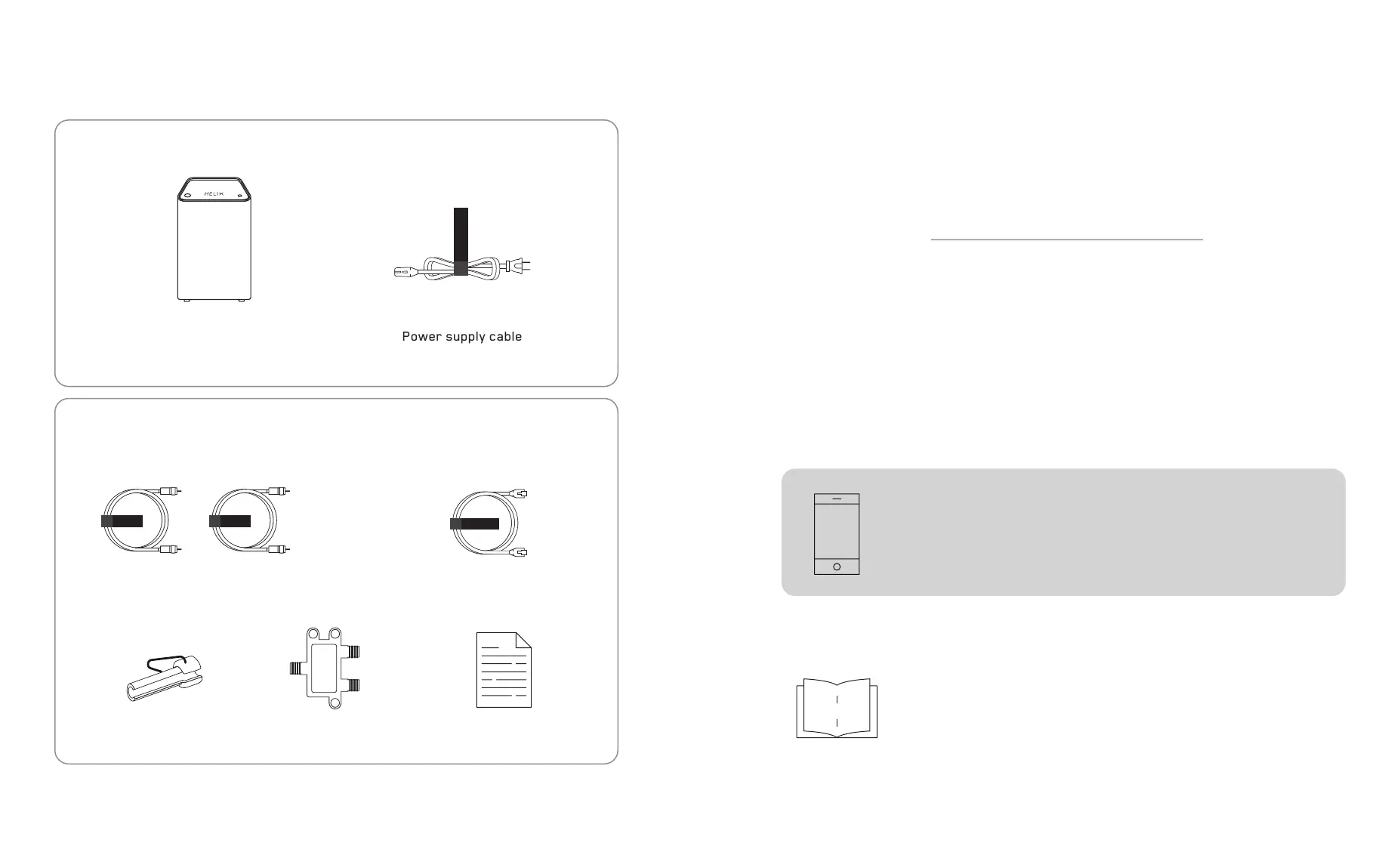
Helix Fi gateway
(Internet andt Wi-Fi)
Material included in the box
ALIM/POWER
Coaxial cable
× 2
Security socket
removal tool
Instructions sheets
× 2
Splitter
Ethernet cable
COAX COAX
ETHERNET
Basic equipment
Optional accessories
for some configurations only
Did you receive your equipment by mail?
Installing your equipment.
Your equipment must be activated on
My Helix account before installation.
Go to : myaccount.videotron.com
Log in to My Helix account and follow
the installation instructions.
Go to : myaccount.videotron.com
Tip: To have Internet access throughout the installation
process, log in to My Helix account from your smartphone
while in Mobile Data mode.
Another option: Install your gateway with the help of this guide.
Follow the steps on the following pages.


 To Next Page