This document is a user guide for the Videotron illico X8 HD Terminal, which functions as a Multi-Room HD PVR. It provides comprehensive information on the device's setup, operation, maintenance, and troubleshooting.
Function Description
The Videotron illico X8 is an HD Terminal designed to provide an enhanced television entertainment experience through illico Cloud. It acts as a gateway to a wide range of TV content and features, including live TV, on-demand programming, and personal video recording.
Key functions include:
- Live TV and Catch-Up: Watch live television and pick up where you left off on any device, anywhere.
- Personalized TV Experience: Create user profiles, allowing illico Cloud to remember viewing preferences, track watched content, and manage favorites.
- Remote Recording: Record shows remotely using a tablet or mobile device.
- Multi-Room PVR: Watch recorded content on any TV within the home, providing flexibility and convenience.
- High-Quality Picture: Enjoy sharp picture quality, with support for resolutions up to 1080i.
- Streamlined Interface: Features a unified menu, a user-friendly Program Guide, smart Video on Demand service, and a comprehensive search tool for the entire illico catalog.
- illico App Integration: Seamlessly integrates with the free illico app for tablets and mobile devices, enabling multiscreen entertainment.
- Content Access: Offers both pay-per-view access (channel 900 for special releases, new arrivals, series, events, documentaries) and an unlimited viewing experience through Club illico, which provides unlimited access to Videotron's catalog of movies, series, kids' shows, and documentaries.
Important Technical Specifications
The user guide details several models of HD terminals, including Samsung 6340 HD Terminal, Samsung 8340 HD PVR, Cisco 4642 HD Terminal, Cisco 8642 HD PVR, and the illico X8 Cisco Explorer 9887. While specific internal technical specifications like processor speed or RAM are not provided, the document focuses on connectivity and video output capabilities.
Common connectivity ports across models (may vary slightly by model):
- Video Outputs:
- HDMI audio/video output (supports up to 1080i resolution for HD TVs).
- Component video output (YPbPr).
- RCA video output (composite).
- S-Video output.
- Audio Outputs:
- HDMI audio/video output.
- RCA audio output (stereo L/R).
- Digital coaxial audio output.
- Optical audio output.
- Inputs:
- Coaxial audio/video input (CABLE IN).
- Data/Peripheral Ports:
- USB ports (currently unavailable for user functions).
- eSATA port (only available on HD PVR models, currently unavailable for user functions).
- Firewire port (currently unavailable).
- Ethernet port (currently unavailable).
- Infrared port (currently unavailable on illico X8).
- Power:
- Power supply input (AC 120V, 60Hz).
Video Resolution:
- Supports 1080i or 720p resolution for HD TVs.
- Supports 480i or 480p resolution for standard TVs.
- HD channels are available after channel 600.
Usage Features
The guide provides detailed instructions for setting up and using the illico X8 terminal and its remote control.
Activation and Setup:
- Initial Connection: Instructions for connecting the terminal to a TV, primarily recommending HDMI for HD TVs. Alternative connections are mentioned for standard TVs.
- Quick-Start Wizard: Guides users through initial setup, including language selection, Administrator PIN activation for managing functions and ordering content, Parental Controls configuration, and Order PIN creation for accessing permitted content.
- Remote Control Programming: Detailed steps for programming the remote control to the TV using quick programming (by brand code) or automatic search methods. Instructions for resetting the remote control are also included.
Remote Control Functions:
The remote control is a central interface for the illico X8, featuring buttons for:
- Power: Turn TV and Terminal on/off.
- Source Selection: Select TV-Video source.
- Navigation: Menu, Guide, Info, Exit, Select, OK, Back/Last, Live.
- Channel and Volume Control: CH+/-, VOL+/-, Page Up/Down.
- PVR/IOD Functions: REC, List (recorded programs), Skip Back/Forward, Rewind/Fast Forward, Pause, Stop, Play.
- Numeric Keypad: Enter channel or PIN numbers.
- Special Functions: FAV (favorite channels), PIP (Picture-in-Picture), Search, Zoom (screen format), Widgets, Add/Remove from "My Selections."
- Color-coded buttons (A, B, C, D): For on-screen menu interactions.
Equipment Settings:
Users can configure various preferences through the Terminal's settings menu:
- Standby Mode: Schedule automatic turn-off and turn-on times for the terminal.
- Remote Control Model: Select the correct remote control model for optimal feature access.
- TV Picture Resolution: Adjust resolution (1080i, 720p, 480i, 480p) to match the TV's capabilities.
- Volume Control: Determine whether the remote controls the TV's volume or the Terminal's volume.
- Display: Configure the display of time on the Terminal when turned off.
Help Portal:
An integrated Help Portal is accessible via the main menu, offering demos and an FAQ section for most features, as well as a comprehensive user guide available online.
Maintenance Features
The document outlines warranty information and general care instructions for the illico X8 terminal.
Warranty and Maintenance Plan:
- Standard Warranty: A free three-year (3) standard warranty is provided, covering breakage from normal use. It entitles the user to a free replacement terminal of equal or superior quality. This warranty begins on the activation date.
- Maintenance Plan: Users can subscribe to an extended Maintenance Plan within 30 days of service activation, extending the warranty for an additional two (2) years, for a total of five (5) years. This plan covers the terminal and remote control, providing a replacement for defective equipment. Pricing for the Maintenance Plan is provided for HD Terminal, HD PVR, and illico X8 models, with options for one-time payment or monthly installments over 36 months.
Security and Care:
- Positioning and Ventilation:
- Avoid obstructing ventilation openings to prevent overheating.
- Do not place other equipment (TVs, lamps, books) on the terminal.
- Ensure proper ventilation if placed in an enclosure.
- Do not place on soft surfaces (bed, sofa, rug) or near heat sources.
- Place on a stable surface capable of supporting its size and weight.
- Accessories and Cleaning:
- Use only Videotron-recommended accessories.
- Do not open the terminal cover.
- Clean with a damp cloth after unplugging; avoid liquid, aerosol cleaners, or magnetic/static cleaning devices.
- Object and Liquid Entry:
- Do not expose to moisture or spill liquid.
- Do not place on a wet surface.
- Avoid pushing objects into openings to prevent short-circuits, fire, or electric shock.
- Power Sources:
- Use the correct power source (AC 120V, 60Hz) as indicated on the label.
- Do not overload electrical outlets or extension cords.
- Power Cord Protection:
- Arrange cords to prevent damage from being walked on or having objects placed on them.
- Pay attention to connections at plugs, outlets, and the unit's exit points.
- Grounding:
- The terminal has a two-prong plug; ensure it is inserted into a grounded, two-socket outlet.
- If polarized, ensure the wide prong matches the wide slot.
- Servicing:
- Opening the case voids the warranty.
- Refer all servicing to a qualified Videotron technician.
- Contact customer service if there is damage to the power cord/plug, liquid/water exposure, physical damage, malfunctions, or a distinct change in performance.
Troubleshooting:
- Rebooting: The first step for resolving most problems is to reboot the terminal by unplugging and re-plugging the power cord.
- Technical Support: Contact information for technical support is provided for various regions in Quebec, available 24 hours a day, 7 days a week.
- Common Issues: Addresses issues like blank/blinking screens, "WIZ 502" error messages, sound cuts, picture breaks, HDMI compatibility problems, channels not filling the screen, and incorrect channel line-ups after activation.
The guide also includes a section on "Signal Theft," emphasizing its illegality and the importance of notifying Videotron of address changes to ensure proper network connection and avoid deactivation or legal proceedings.

 Need help?
 General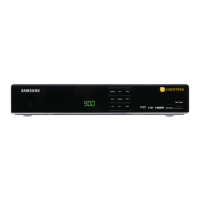

 To Next Page
