EasyManua.ls Logo

Videx 3123 - User Manual

Videx 3123
2 pages
Print Icon
To Next Page IconTo Next Page
Loading...
TECHNICAL SUPPORT
Tel: 0191 224 3174
Fax: 0191 224 4938
Email: tech@videxuk.com
Web: www.videxuk.com
SERIES
3000
PRIVACY ON
ON
OFF
PRIVACY ON
ON
OFF
3123
3000 Series Audiophone
QUICK GUIDE
QG_3123_V.1.0_03/17
Door Open button
Handset speaker
Handset
microphone
Audiophone
Handset
Handset cord
Front cover
retaining
screw
3 level (low,
medium and high)
call tone volume
adjustment
OVERVIEW
Spare Service
button
Privacy ON/OFF
switch
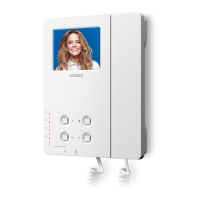
ART. 3123
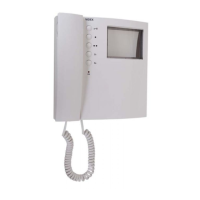
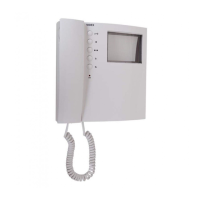
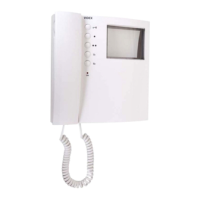
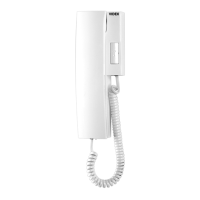
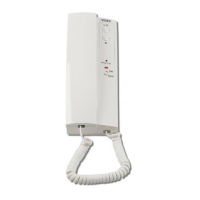
3000 Series full base "5+1" audiophone incorporating an adjustable
electronic call tone, "door open" push button, spare service button and
privacy switch with privacy ON illumination LED.
For use on Sentry systems and "5+1" audio systems which incorporate
the "privacy of speech" feature.
Call tone adjustment: 3 level (low, medium and high) call tone switch.
Privacy facility: 2 position privacy switch (ON/OFF).
Privacy indication: 1 privacy illumination LED (red).
All manuals and user guides at all-guides.com
all-guides.com
Question and Answer IconNeed help?

Do you have a question about the Videx 3123 and is the answer not in the manual?

Overview

The Videx 3123 is a 3000 Series audiophone designed for use in "5+1" audio systems, particularly those incorporating the "privacy of speech" feature, and Sentry systems. This full base audiophone integrates several key functions and features to enhance communication and user convenience within an intercom system.

Function Description:

The primary function of the 3123 audiophone is to facilitate two-way audio communication with an external caller. When an incoming call is received, the audiophone emits an adjustable electronic call tone. The user can answer the call by picking up the handset, initiating a conversation. To end the call, the handset is simply replaced on its cradle.

Beyond basic communication, the device includes a "door open" push button, allowing users to remotely unlock an entrance during a conversation. A spare service button is also integrated, which can be configured during installation to activate a secondary function, providing additional utility depending on the system's setup.

A significant feature of the 3123 is its privacy switch. This allows the user to switch the phone "OFF" to activate privacy, preventing incoming calls and conversations. When privacy is active, a dedicated privacy illumination LED (red) lights up, provided this feature was set up during installation. To deactivate privacy and switch the phone back "ON," the user simply toggles the privacy switch to the "ON" position.

Important Technical Specifications:

  • Audiophone Type: Full base "5+1" audiophone.
  • Call Tone: Adjustable electronic call tone.
  • Call Tone Adjustment: 3 levels (low, medium, and high) via a switch.
  • Privacy Facility: 2-position privacy switch (ON/OFF).
  • Privacy Indication: 1 red privacy illumination LED.
  • Buttons: "Door open" push button, spare service button.
  • Compatibility: Designed for Sentry systems and "5+1" audio systems with "privacy of speech" feature.

Usage Features:

  • Answering a Call: When the audiophone rings, pick up the handset to answer. A conversation can then begin.
  • Ending a Call: Replace the handset on the cradle to terminate the call.
  • Opening the Door: During an active conversation, press the designated lock button to operate the door lock.
  • Call Tone Volume Adjustment: The audiophone features a volume switch with three positions:
    • Move the switch to the lower position for a low call tone volume.
    • Move the switch to the middle position for a medium call tone volume.
    • Move the switch to the upper position for a high call tone volume.
  • Operating the Privacy Switch:
    • To activate privacy and switch the phone OFF, move the privacy switch to the OFF position. The privacy LED will illuminate (if configured during installation).
    • To deactivate privacy and switch the phone back ON, move the privacy switch to the ON position.
  • Spare Service Button: Press this button to activate a secondary function, which must be configured during the system's installation.

Maintenance Features:

The manual does not explicitly detail user-level maintenance features beyond operational instructions. For technical advice, installation assistance, or any issues, users are directed to contact Videx technical support. This suggests that any maintenance beyond basic cleaning or operational troubleshooting would typically require professional intervention or guidance from the manufacturer. The device's design, with a front cover and retaining screw, implies that internal components are not intended for user access.

In summary, the Videx 3123 audiophone is a versatile and user-friendly intercom device offering essential communication, door release, and privacy functions, with adjustable settings for enhanced user experience within compatible audio systems.
Videx 3123 Specifications

General IconGeneral
BrandVidex
Model3123
CategoryTelephone
LanguageEnglish

Related product manuals