EasyManua.ls Logo

Vielight NeuroPro - User Manual

Vielight NeuroPro
24 pages
Print Icon
To Next Page IconTo Next Page
Loading...
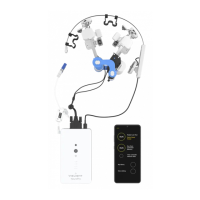
NeuroPro
USER GUIDE

Questions and Answers

  • J
    jonesanneAug 5, 2025
    What to do if the Vielight Medical Equipment app appears frozen?
    • C
      Cynthia AdkinsAug 5, 2025
      If you see a red or green rotating circle, the app is transferring data. To resolve this, tap the 3 vertical lines at the bottom left, select 'Close All' to exit the app, wait 10 seconds, and then restart the app.
  • A
    Anthony GallowayAug 11, 2025
    How to fix Vielight NeuroPro controller Bluetooth link issues?
    • A
      Alexander Blake DVMAug 11, 2025
      Ensure the devices are within 3-4 feet of each other. Also, verify that the controller is powered on and that the app and controller are correctly paired.
  • A
    Amanda HesterAug 17, 2025
    Why does my Vielight NeuroPro Medical Equipment device shut down quickly?
    • M
      Mr. Richard SmithAug 17, 2025
      The device may automatically shut down in less than 2 minutes if the power bank is not compatible with the Neuro Pro. The Vielight V2 power bank has been tested for compatibility.
  • B
    Brooke JenkinsAug 23, 2025
    What to do if the Vielight NeuroPro screen doesn't go back?
    • B
      Brittany BryantAug 23, 2025
      Use the back key '
  • K
    karenwilsonAug 30, 2025
    What if some LED modules on my Vielight NeuroPro don't light up?
    • J
      James ClarkAug 30, 2025
      Check the Neuro Pro app's setup interface to confirm if this is the case. Ensure the module(s) are properly plugged in. If the issue persists, it may indicate a hardware fault, and you should contact customer service for assistance.

Summary

Neuro Pro Introduction and Key Components

Key Components Overview

Identifies and lists the essential parts of the Neuro Pro system.

Ancillary Devices List

Lists the supporting accessories and their functions.

Connecting Devices & Getting Started

Positioning Headset Modules

Guides on correctly placing headset modules for optimal fit and function.

Adjusting Side Pads and Light Diodes

Instructions for customizing headset fit and ensuring proper diode contact.

Module A and Nasal Applicator Placement

Details on aligning Module A and applying the nasal applicator correctly.

Operating the Neuro Pro

GUI Capabilities and Software Structure

Summary of GUI Capabilities

Outlines the main functions and parameters controllable via the smartphone GUI.

GUI Software Structure Overview

Visualizes the software's flow and navigation pathways for user interaction.

Technical Information and Maintenance

Glossary of GUI Terms

Defines key terms and concepts used within the Graphical User Interface for clarity.

Device Specifications

Lists detailed technical specifications for the device, modules, and peripherals.

Care and Cleaning Instructions

Provides essential instructions for maintaining and cleaning the device components safely.

Power Settings and Safety Advice

Explains power settings and provides critical safety advice for NIR light usage.

Troubleshooting and Technical Support

Offers solutions for common issues and details how to obtain technical assistance.

EMC Information

Explains electromagnetic compatibility guidelines and recommended usage environments.

Vielight Power Bank Usage

Connecting and Charging the Power Bank

Guides on connecting the Neuro Pro and charging the power bank.

Power Bank Specifications and Safety

Details power bank specifications and lists crucial safety precautions for its use.

Warranty and Disclaimer

Limited Three-Year Warranty

Outlines the terms and coverage of the product's limited warranty.

Product Disclaimer

Clarifies the product's classification and non-medical intended use.

Vielight NeuroPro Specifications

General IconGeneral
BrandVielight
ModelNeuroPro
CategoryMedical Equipment
LanguageEnglish

Related product manuals