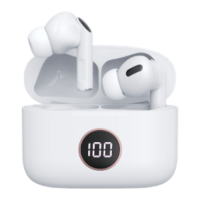
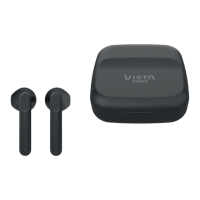
Pro Mute and connect them. This procedure is necessary only the first time you connect to
the same device. After, If saved the Bluetooth settings on the smartphone, when turn on the
Bluetooth in the smartphone, they will connect automatically.
It will pair successfully within 3 seconds with and indication sound to show it connected.
If want to use the earphones on another smartphone or media device (computer, tablet,
laptop…) must first unlink the connection they have established.
Sound filter modes:
ANC: Active Noise Cancelling; earphones uses a sound analyser and microphone system to lose
annoying outside noise and to give comfortable audition experience for the user.
Transparency Mode: in the same way as Active Noise Cancelling, in this mode, the microphone system
detects the voice of the person who are speaking outside the earphones, to give to the listener, inside the
earphones, a hearing clearly voice, but cancelling the annoying noise outside.
ANC OFF: Noise Cancelling Off. In this case, the earphones give’s to listener an experience without noise
cancellation or voice processing.
5.
Bluetooth pairing named Vieta Pro Mute.
6.
To Power Off whe n the mus ic i s playe d, pl ace it int o th e cha rg ing box. At the mo ment, the
earphones switches off.
When the cover of charging box is opened again, it powers on automatically for connection.
7.
Connect the mobile phone automatically after earphones power on. If connection cannot
be made automatically, disable and enable Bluetooth on media device to find them and pair
it. Also, can try inserting and removing the earphones from the charging box to reset them.
8.
Please use a 5V charger with USB Type C cable included in the pack.


 To Previous Page
 Loading...