Need help?
Do you have a question about the VIETA VC-HA4000BT and is the answer not in the manual?
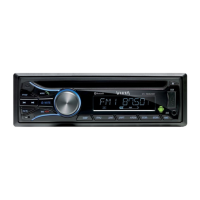
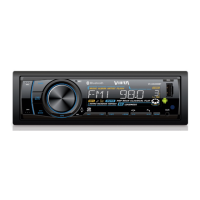
Button to release the front control panel from the unit chassis.
Function to turn the unit on/off and mute audio.
Slot for inserting CD discs.
Screen showing operational information.
Key to eject the loaded disc from the unit.
Buttons for tuning, seeking, and track selection during radio/playback.
Button for menu selection and volume adjustment.
System for traffic information announcements, temporarily switching to radio mode.
Automatically switches to stronger radio frequencies for better reception.
Seeking traffic stations or sounding alarms for lost signals.
Modes to handle audio interruptions due to signal reflections.
Settings for automatic radio retuning intervals for TA or PI search.
Modes to mask AF signals with different PI or no RDS.
Enables or disables key press audible feedback.
Settings for last volume recalled or default initial volume.
Controls clock display visibility when the unit is powered off.
Storing stations by pressing preset buttons for more than 2 seconds.
Controls for playback, track sampling, repeat, and random modes.
Interrupts or resumes playback, or starts from the first track.
Samples the first 10 seconds of each track.
Repeats the current track or folder.
Plays tracks in random order or by folder.
Skips tracks or folders by 10 at a time.
Switches between tuner, disc, USB, SD, and AUX modes.
Socket for connecting external audio devices.
Port for inserting USB sticks to play files.
Selects radio broadcasting bands (FM1, FM2, FM3, AM1, AM2).
Displays preset stations or auto-searches and stores stations.
Slot for inserting MMC/SD cards for playback.
Resets the unit, clearing clock settings and stored data.
Indicator that flashes when the front panel is removed.
Process of connecting a mobile phone via Bluetooth.
Methods for connecting or disconnecting Bluetooth devices.
How to dial numbers directly or redial via Bluetooth.
Controls for managing calls via Bluetooth.
Adjusting and reserving volume during calls.
How calls are handled when the unit is in standby.
Streaming audio from a mobile phone via Bluetooth.
Using playback controls and switching modes with A2DP.
Anti-theft installation using a metal mounting sleeve.
Compatibility and recommended recording speeds for CD-R/RW discs.
Instructions on handling and cleaning discs to maintain playback quality.
Proper insertion of discs to avoid damage to the unit.
Precautions against heat and sunlight warping discs.
Warning against using discs with glue or damage.
Importance of cases for disc protection and preventing scratches.
Handling moisture on discs or unit parts.
Warning against using harsh cleaning agents on discs.
Pin assignments for the main unit connector.
Pin assignments for speaker and power connections.
General specifications: voltage, current, power, and dimensions.
Technical details for FM radio reception.
Technical details for AM radio reception.
Output specifications for line-level audio.
Specifications for the CD playback system.
 General
| Brand | VIETA |
|---|---|
| Model | VC-HA4000BT |
| Category | Car Receiver |
| Language | English |

 To Next Page