Need help?
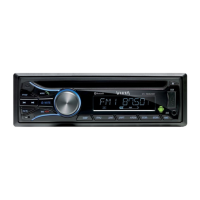
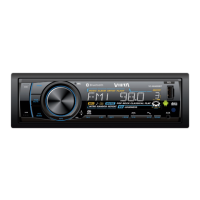
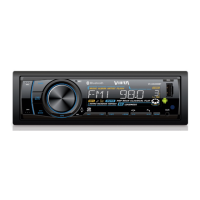
Do you have a question about the VIETA VC-HC800BT and is the answer not in the manual?
Instructions for detaching the front panel from the car audio unit chassis.
Details on wiring the car audio unit using the ISO connector and its functions.
Explains the functions of various buttons on the unit for playback, mode selection, and information display.
Details on accessing and adjusting audio parameters like Bass, Treble, Balance, Fader, and Equalizer settings.
Describes how to answer, reject, and transfer calls using Bluetooth hands-free mode.
Instructions for navigating music files, folders, and playback controls on media devices.
Covers Auto Store, PTY selection, AF/TA functions, and RDS settings for enhanced radio experience.
Settings for AREA frequency spacing, LOCAL SEEK, CLOCK SET, CLOCK FORMAT, and BEEP ON/OFF.
Step-by-step instructions for inserting and removing USB devices for playback.
Guide on how to insert and play music from memory cards like SD cards.
How to manage Alternate Frequencies (AF) and Traffic Announcements (TA) for optimal reception.
Process for pairing, disconnecting, and reconnecting Bluetooth devices for calls and audio.
Instructions for initiating phone calls and redialing numbers via the Bluetooth connection.
How to select and activate the AUX input mode for external audio sources.
Explains the procedure and reasons for resetting the unit to its default settings.
Troubleshooting steps for problems like no power, no sound, or lost presets.
Solutions for noise in broadcasts and signal reception issues.
Guidance on resolving issues with disc playback, track skipping, and media file errors.
Explanations for specific error messages like ERR-1, ERR-3, and ERR-5 displayed on the unit.
Details on power supply, fuse, speaker impedance, and audio output characteristics.
Technical specifications for FM/AM radio, usable sensitivity, and USB device compatibility.
Details on Bluetooth output power, frequency band, range, and standard version.
Information on supported audio formats like MPEG and WMA, including sampling frequencies and bit rates.
Specifications for CD formats, ISO9660 levels, file/directory limits, and sorting methods.
Details regarding ID3 tag versions, MP3 directory display, and file/directory naming limits.
Information on supported CD recording types, including CD, CDR, CDRW, and unsupported formats like UDF.
 General
| Bluetooth | Yes |
|---|---|
| USB Port | Yes |
| AUX Input | Yes |
| FM Radio | Yes |
| Display Type | LCD |
| SD card reader | Yes |
| Radio | FM |
| GPS Navigation | No |
| Touchscreen | Yes |
| Rear Camera Input | Yes |
| Type | Car Radio |
| Display Size | 7 inch |


 To Next Page