Switch Viewer
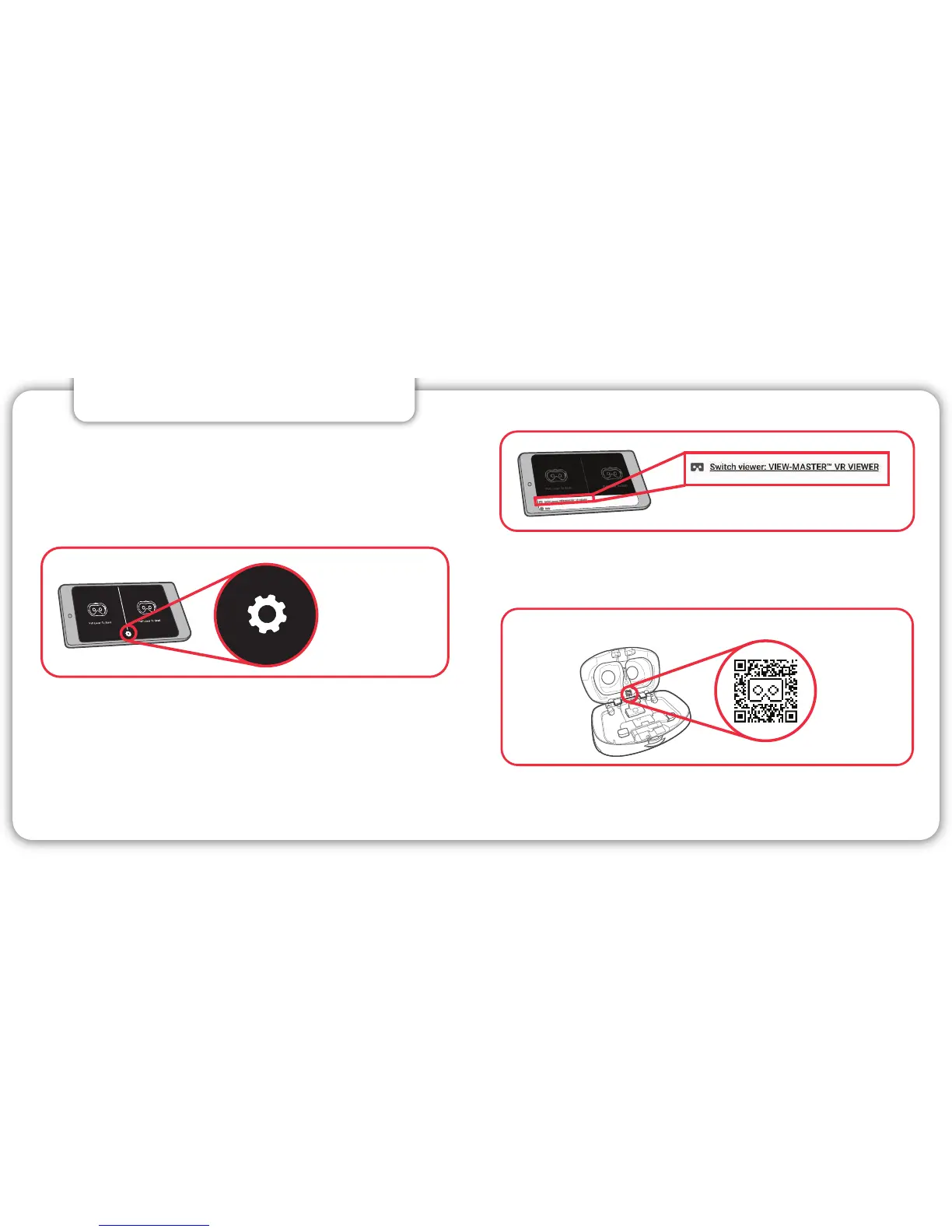
• Tap on “Switch Viewer”
• If the app asks for camera permissions, allow
access to your camera.
5 6
2. VIEWER PROFILE
DO THIS FIRST FOR OPTIMAL PERFORMANCE!
• Be sure you’ve downloaded the most recent
version of your View-Master® app.
• Follow the on-screen prompts to enter VR mode.
• After you’ve been prompted to turn your phone
horizontally, tap on the small gear icon located at
the bottom of the screen.
• Scan the QR code on the inside bottom of the
View-Master® Deluxe VR viewer.
LOCATING THE QR CODE INSIDE YOUR VIEWER
QR Code
Small Gear Icon



 To Next Page