Smartphone and headphones not included.
7 8
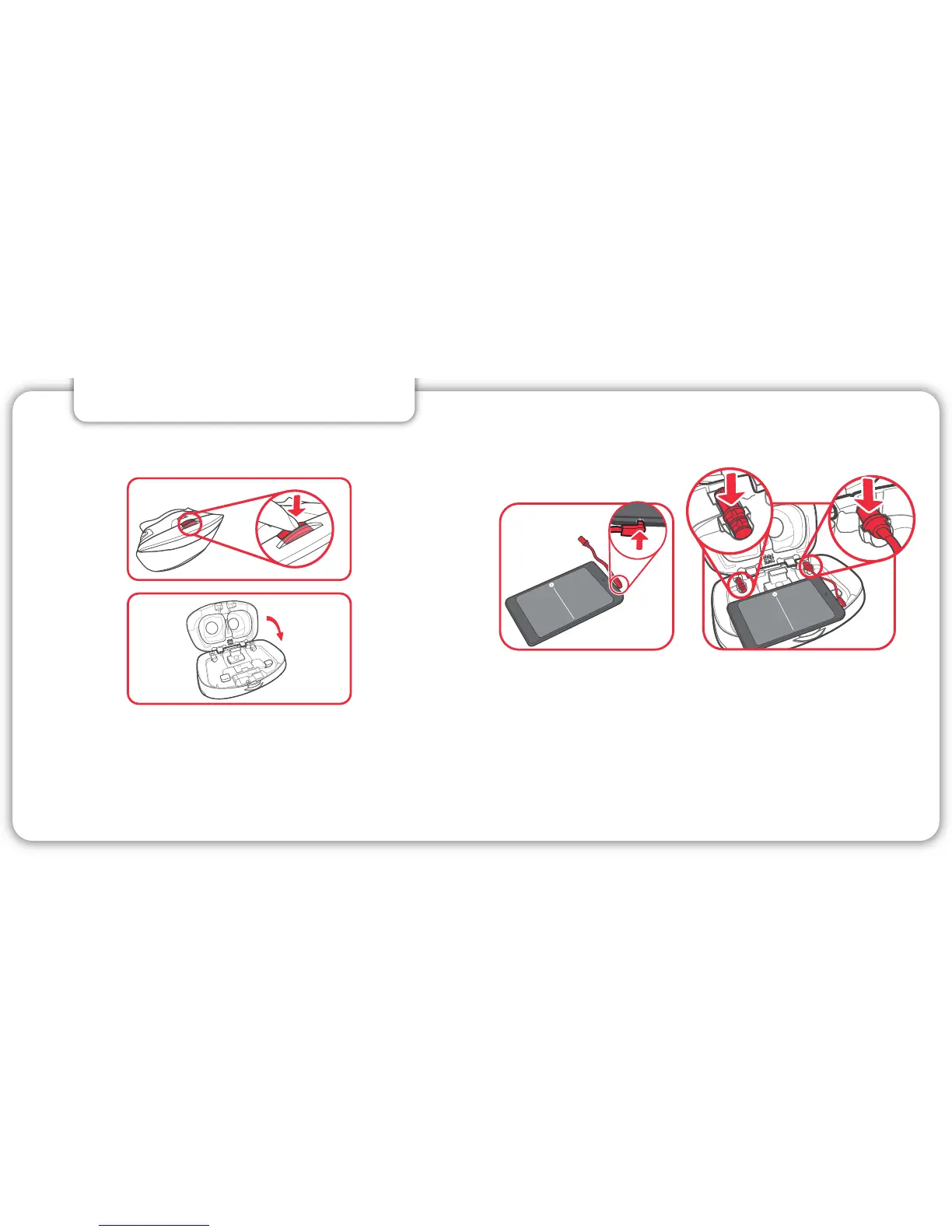
Locate your smartphone’s headphone port (if applicable)
and align the headphone connector on the same side.
Press the button to open.
Remove any case from your smartphone then place
it between the clamps in the View-Master® Deluxe VR
Viewer so the screen is facing you. The top of your
phone should be to the left.
3. CONNECT HEADPHONES
Insert the connector into your smartphone. Insert
the other end of the cable into the space shown.
Insert the cap into the headphone connector space
not being used.
Plug your headphones into the headphone jack on
the outside of the View-Master
®
. Make sure you are
plugging your headphones into the same side the
headphone jack extender is plugged into.
ForMotorola Nexus 6™, place edge of phone under the upper clamps first, push up to spread clamps,
then place bottom edge of phone into the lower clamp.
Note: For optimal performance, do not use with a screen protector on your phone.



 To Next Page