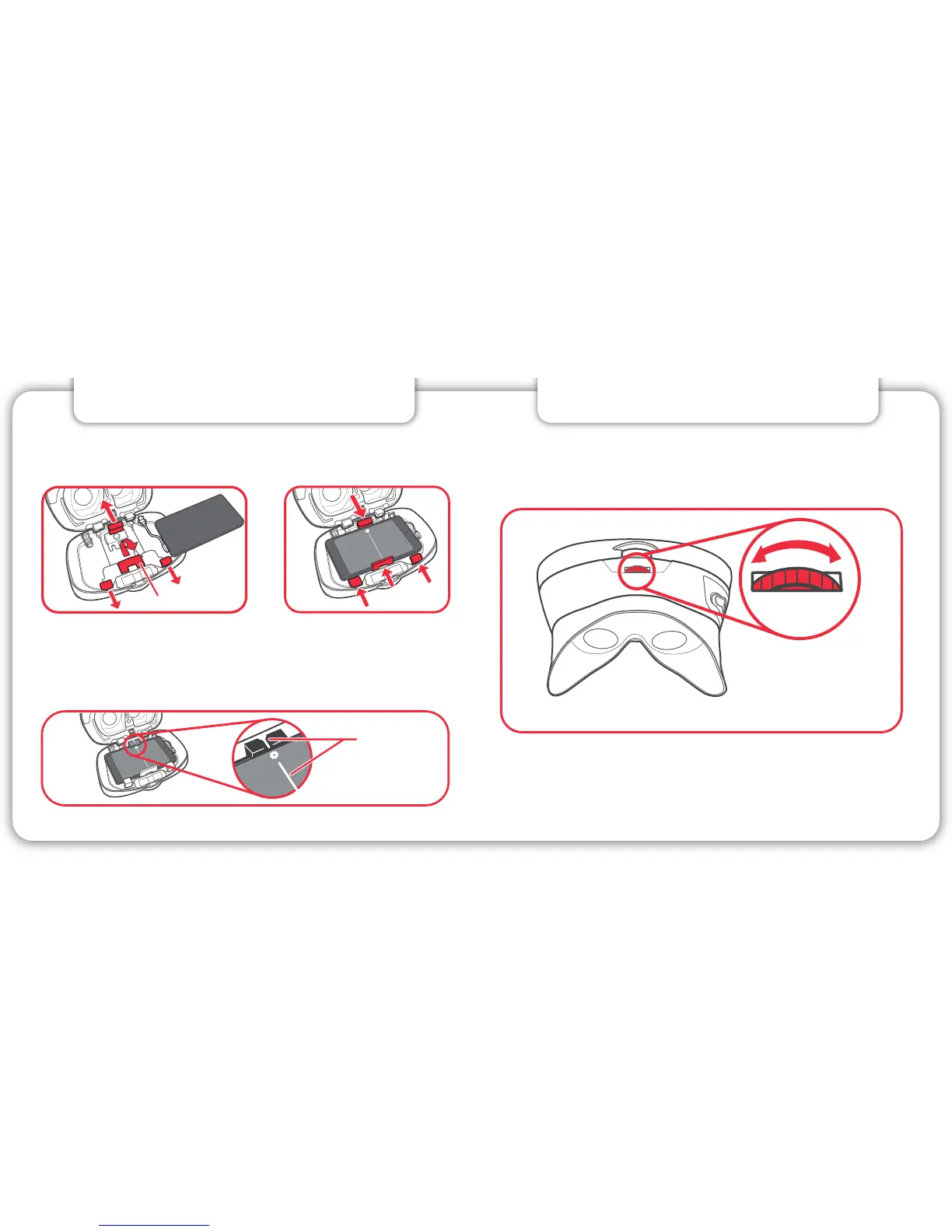
Center these
two white lines.
5. FOCUS IMAGE
9 10
To bring images into focus, simply move the
Focus Wheel right or left until the image is sharp.
For iPhone 5s, iPhone 5c or iPhone 5, flip up the
built-in adapter.
4. INSTALL SMARTPHONE
Aligning Your Viewer: It is very important that you
center your device in the View-Master® Deluxe VR
Viewer. Line up the divider in the middle of the screen
with the white mark on the lower clamp.



 To Next Page