Page 4 of 18
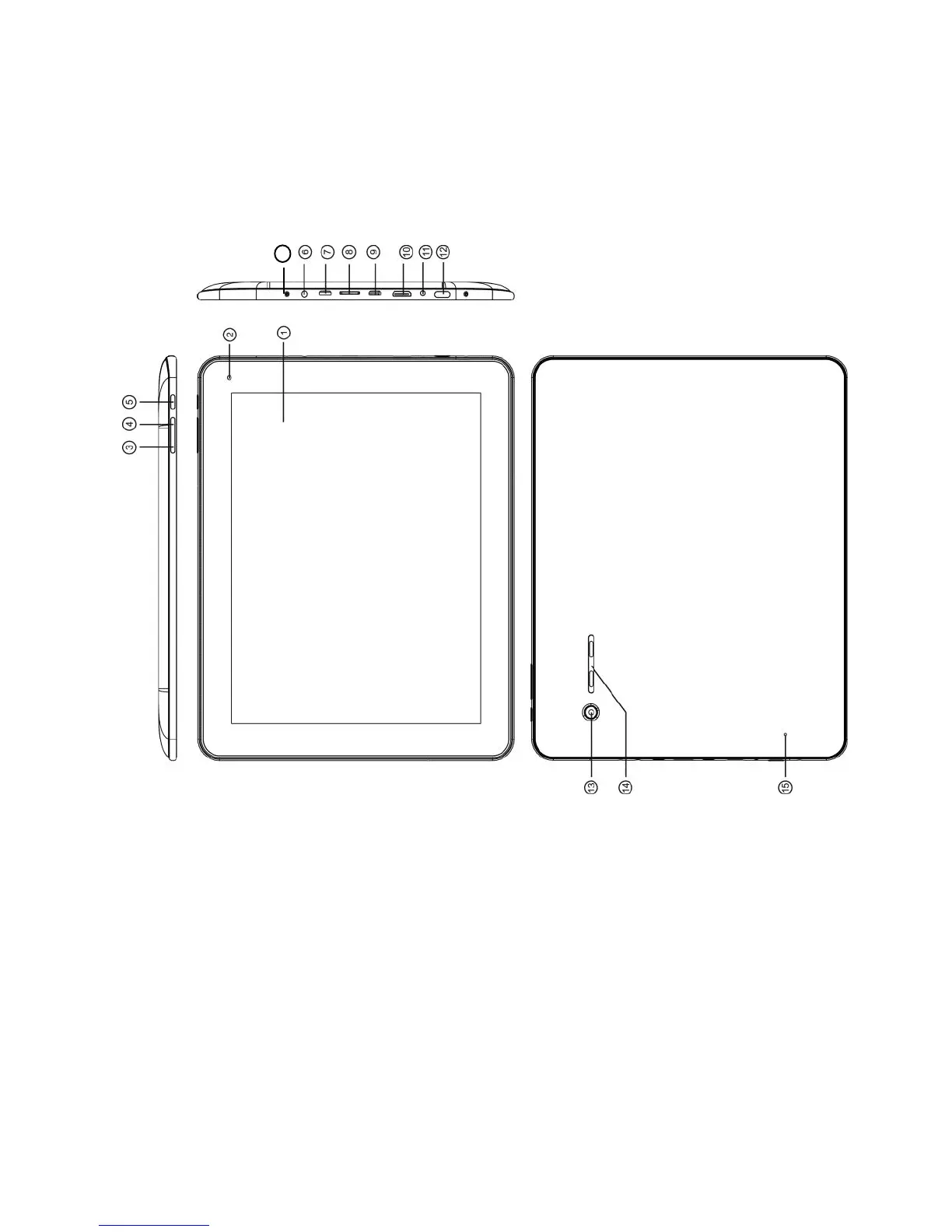
Device overview
1. Touch Screen 10. Mini HDMI (TV Output)
2. Front Camera 11. DC-in
3. Volume+ Button 12. Power button
4. Volume - button 13. Back Camera
5. Return / ESC button 14. Speakers
6. Earphone 15. Reset
7. USB Port 16. Microphone
8. Micro SD/SDHC Card Slot
9. OTG Port: USB from your external HDD



 To Next Page