13 14
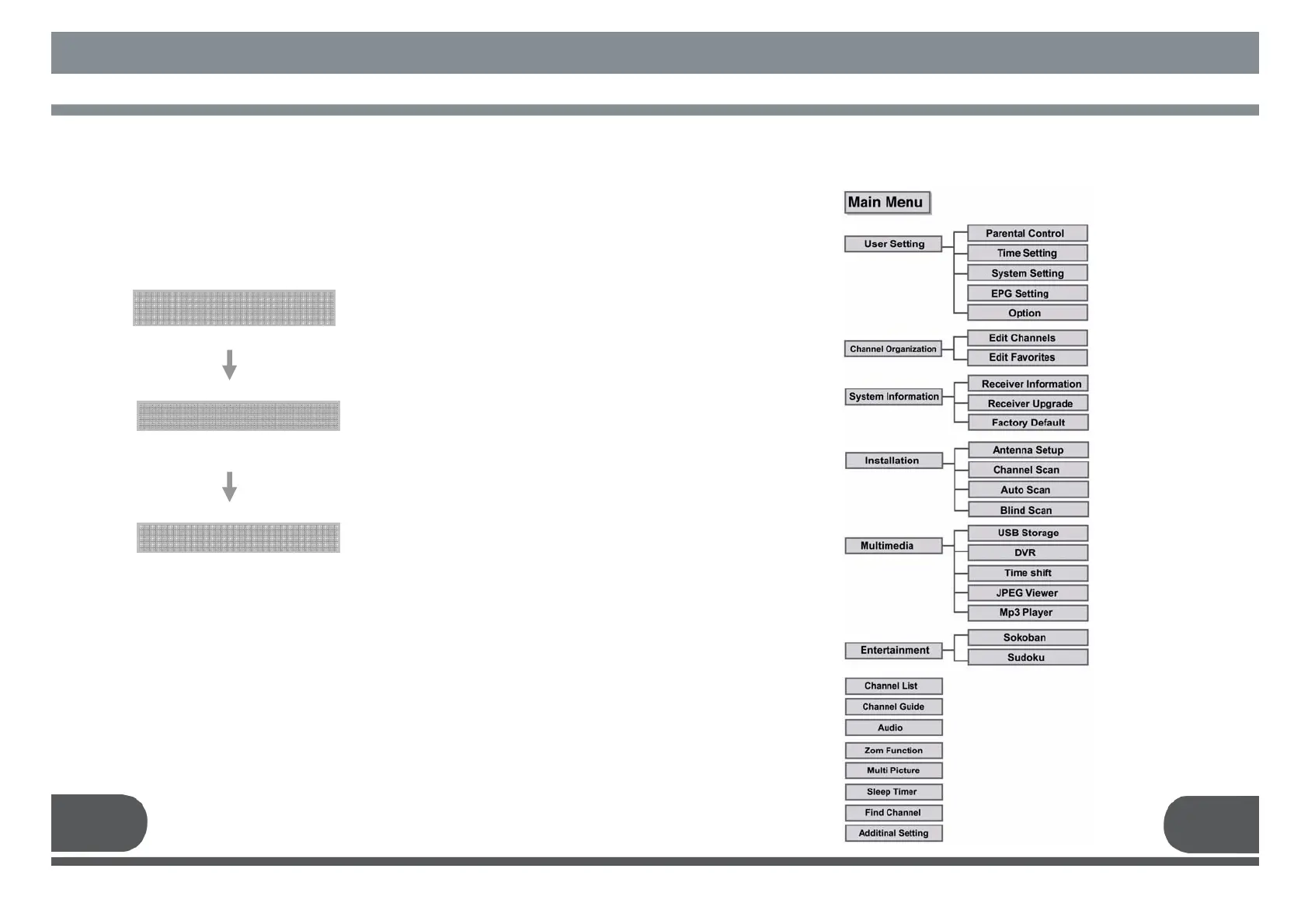
MENU STRUCTURE
6. MENU STRUCTURE
5. 2. Manual Channel Search for Transponder
You can search and save all TV and radio channels of
a transponder as follows :
■ Select the satellite which you want to search.
Main Menu
Installation
Channel Scan
Antenna Configuration Setting
■ Select Menu / Installation / Channel Scan.
■ Insert all information of your antenna.
Manual Channel Search
■ Select the transponder from the transponder list
you want to search.
If you cannot find it from the transponder list,
insert all transponder information
(i.e., Channel no, Frequency, and Bandwidth).
■ Press the OK key, and the receiver will
search for all channels of the selected
transponder.



 To Next Page