3
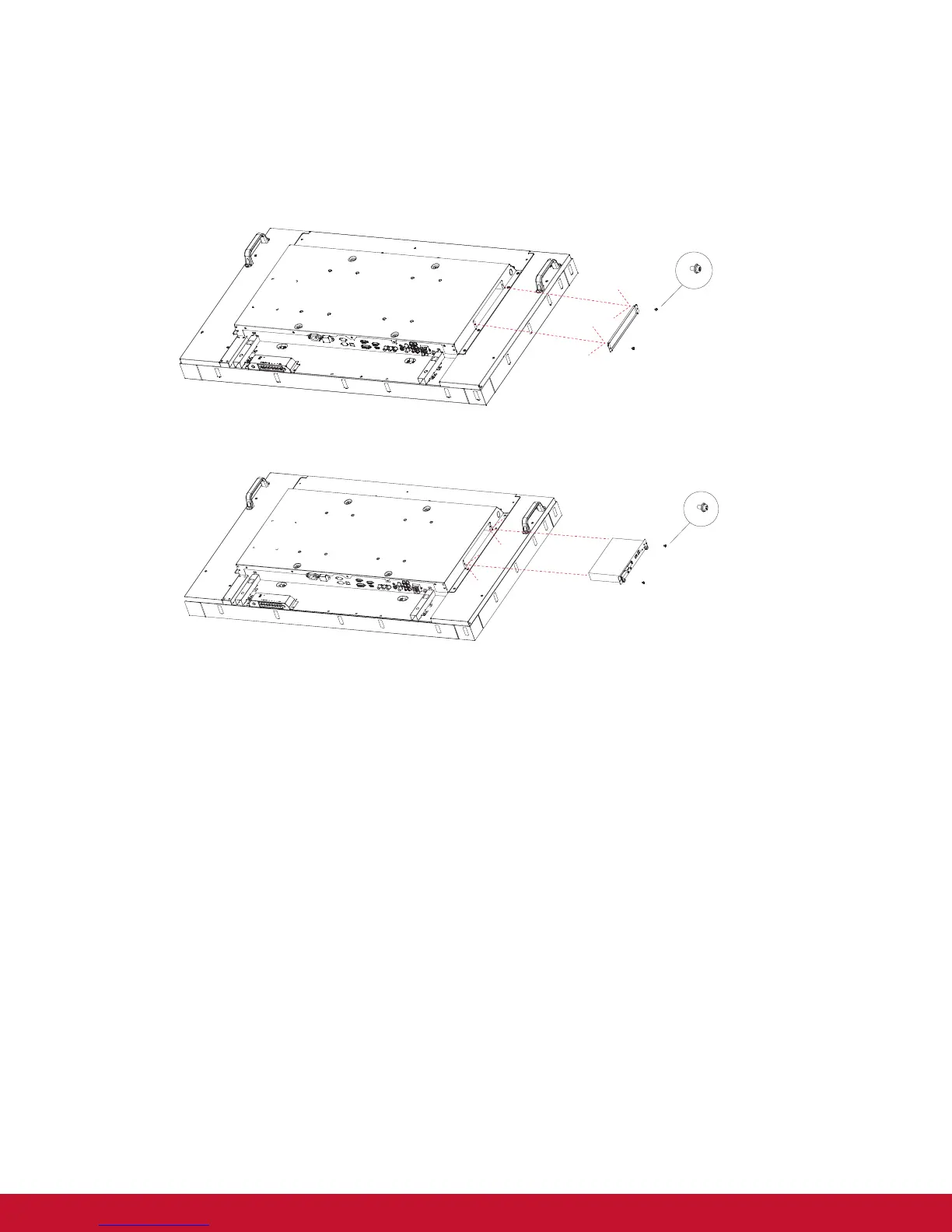
1.5. Installing and Removing OPS module (CDP4235/CDP4635/CDX5550-L series) (optional)
To install OPS Module:
1. Power off the display.
2. Remove the cover of OPS after take screw off.
3. Insert OPS module and then x by screw.
NOTE: Keep the OPS cover for future use.
Screw
Screw
OPS
To remove OPS Module:
1. Power off the display.
2. Remove screw and plug out OPS module.
3. Install OPS cover and then x by screw.





 To Next Page